
9 AI Tools for Human-Sounding B2B Marketing Content

The biggest challenge for B2B marketers isn't a lack of content.
It's the flood of robotic-sounding AI slop on Google, LinkedIn, etc. that makes everyone sound the same.
Because of this, I believe the goal has to go beyond just creating "human-sounding" content. The real goal should be to create content that sounds specifically like you.
When AI generates text that sounds vaguely human but lacks personality, everyone starts to sound the same.
So this guide is for B2B marketers who want more than the bare minimum from AI.
I've seen firsthand that great content comes from amplifying human thinking with AI, not replacing it. This is a big reason why so many tools miss the mark.
So, I’ve structured this guide to highlight what each tool is best for. You'll be able to pick an option that best fits your needs and your budget. Let’s get into it.
Key highlights
Before we get into the individual tools, I want to share a few key takeaways from my experience and research. These are the big-picture ideas to keep in mind as you decide which tool is right for you.
- The real problem is AI slop. The biggest challenge I see for B2B marketers isn't creating more content, but cutting through the flood of robotic AI text that fails to connect. It’s all over Google, LinkedIn, etc. and it’s making everyone sound the same.
- The goal is to sound like you, not just like a human. It’s not enough for your content to just sound human. If it sounds like the same template everyone else is using, you're not standing out. The true goal is to find a tool that helps create content in your unique brand voice.
- There's a huge difference between workflows. I've found it's critical to distinguish between "human-led, AI-assisted" workflows and "AI-led" ones. The first amplifies your expertise, while the second often means you’re outsourcing your thinking and facing heavy edits to add back the human insights.
- "Brand Voice" features aren't a magic fix. Many tools like Jasper and Writesonic now offer Brand Voice features, which is a step in the right direction. But from what I’ve seen, and what users report, the output can still feel robotic and requires a heavy human touch to get it right.
- Some tools are better for refining, not writing. I've learned to think of certain tools, like Quillbot and Compose AI, as essential editing partners. They’re great for polishing and rewording existing text, but they aren't designed to be your primary content generator.
- A "human-first" approach is emerging. To combat AI slop, some tools are building their entire process around real expertise. For instance, Leaps uses an AI journalist to interview you or your subject matter experts first, ensuring every piece of content starts from a foundation of genuine human perspective.
Quick guide: The best AI tools for human-sounding B2B content at a glance
Name/Title | Key Benefit | Best For | Pricing |
An anti-AI slop, expert-led content creation tool that doesn’t write a word until it clearly understands your POV for each part of your content, your voice, and has done the research and fact-checking to support your points. | B2B marketers who refuse to publish generic AI slop and want to create high-quality, long-form SEO/AEO articles, LinkedIn, or other thought leadership content based on real human insights. | BASIC: $49/month PRO: $99/month PREMIUM: $149/month Enterprise: Custom | |
A robust platform for scaling content production with features like Brand Voice and Jasper IQ to guide the AI toward on-brand drafts. | Marketing teams that need to produce a high volume of content and want to maintain brand consistency. | Pro: $69/month Business: Custom pricing | |
A writer's AI assistant known for its nuanced, conversational, and less robotic writing style that better captures context. | B2B marketers who need genuinely thoughtful content and are frustrated with the stiff output from other AI models. | Free: $0/month Pro: $20/month Max: From $100/month | |
A comprehensive content and SEO platform that directly addresses robotic text with its AI Text Humanizer feature. | Creating initial drafts and outlines quickly, especially for SEO-focused content that will be heavily edited by a human. | Lite: $49/month Standard: $99/month Professional: $249/month Advanced: $499/month | |
A go-to writer for creating SEO-optimized articles and technical product descriptions at scale. | Generating professional, keyword-rich first drafts for blogs and e-commerce content that serve as a strong starting point. | Entry: $29/month Essential: $87/month Blog Pro: From $230/month | |
A simple and affordable entry-point AI writer that's great for overcoming writer's block and generating short-form content ideas. | Freelancers and small businesses needing a straightforward tool for social media posts, emails, and inspiration. | Free: $0/month Unlimited: $9/month Premium: $29/month | |
A workflow enhancer that acts like a supercharged autocomplete, learning your personal style to help you write faster. | Professionals looking to speed up their writing process for emails and short texts directly in their browser. | Free: $0/month Premium: $14.99/month Ultimate: $49.99/month | |
An essential editing partner designed to polish, rephrase, and humanize existing text rather than generating it from scratch. | B2B writers who need to refine messy or AI-drafted content to improve clarity and make it sound more human. | Free: $0/month Premium: $4.19/month | |
A multipurpose AI toolkit with unique features for generating personalized cold emails and social media content. | Sales and marketing teams focused on outreach campaigns and creating specific content formats like ad copy. | Free: Free Unlimited: $29/month Unlimited Pro Max: $49/month Custom: User-defined |
A closer look at AI tools for human-sounding B2B content
Now we'll get into the specifics of each tool. I’ve looked into these myself to see how they stack up, and my goal is to give you a clear picture of what each one does best so you can make an informed choice for your own workflow.
Leaps: Best for anti-AI slop, B2B content that amplifies human thinking and expertise

I believe great B2B content should be about amplifying human thinking with AI, not replacing it.
Leaps is built on this exact philosophy, positioning itself as the expert-led platform for marketers who refuse to publish generic AI slop. Its whole workflow is built to be human-led and AI-assisted, which is a big differentiator in a market full of AI-led tools.
The process starts with an AI journalist that interviews you or your subject matter expert. So if you're writing an article on “How to Do B2B SaaS SEO”, for instance, you don't just give the AI a keyword.
Instead, Leaps’s AI research assistant conducts real-time, fact-checked research on your topic and pulls out recent and most relevant research reports and discussions online about the topic.
Then it presents all of it to you and interviews you or the B2B SEO expert on your team with its AI journalist voice interview, asking targeted questions to pull out your unique expertise and experience.
It then captures your thoughts via voice or text and collects your brand guidelines, and only then does it use AI to create an original outline before drafting the piece, ensuring the final piece is built on genuine human knowledge and your brand voice.
This approach directly solves two of the biggest headaches B2B writers face with AI: hallucinations and heavy editing.
Because it starts with your POV and fact-checks its research, the content is accurate and requires far less rework. The goal isn’t just to sound human, but to sound specifically like you.
This process is also the same if you want to create LinkedIn content for yourself or a CEO or exec, minus the research.
A Leaps user explains it like this: "The posts are literally based off of what I've told it from the interview. And it's so refreshing... It's like an AI tool that operates how humans do."
It also solves the huge bottleneck of collecting expert insights from busy execs and subject matter experts by giving you a simple workflow for capturing their insights without getting on calls.
Another user says it like this: “I like how it makes it easy for me to save time on getting expert insights from my clients... it saves me time from having to do the chase for content responses.”
Key features of Leaps
- AI journalist interviewer: Asks targeted questions to pull unique insights and points of view from your or your SME before writing begins.
- Ready-made, “anti-AI slop” content workflows for SEO/AEO: Provides customizable workflows for MoFu content (how-to guides) and BoFu content (product alternatives, x vs y comparisons, listicles), prioritizing your unique POVs.
- Human-led, AI-assisted workflow: Guarantees content is based on a real human perspective first; AI only assists with drafting after it captures your direction.
- Voice-to-text insight capture: Lets you or your experts talk through their ideas, which the AI transcribes and uses as the foundation for content.
- Anti-AI slop, expert-led content creation in multiple formats: You can create long-form SEO & AEO content, LinkedIn posts, thought leadership articles, newsletters, quotes, and tweets from your insights captured.
- AI research assistant: Uses live web data to find accurate stats and sources, preventing hallucinations by fact-checking information for you.
- Saved writing style: Analyzes your past writing and brand guidelines to ensure all new content consistently matches your brand’s unique voice.
- SME interview workflow: Streamlines collaboration by making it easy to request and capture insights from your subject matter experts without calls, and without them needing to create an account to contribute.
- Built-in LinkedIn publishing: Includes native scheduling and publishing tools for LinkedIn content created on the platform.
- Team collaboration: It supports unlimited team members, making it ideal for all team sizes from solo marketers to agencies and marketing teams.
Pros of using Leaps
- Produces original, long-form SEO/AEO content, LinkedIn posts, etc. based on genuine human expertise, avoiding generic AI slop.
- Help you create content that helps you show up when buyers search.
- Significantly reduces editing time because the draft is built from your POV and approved outline.
- Eliminates AI hallucinations by using a real-time, fact-checking research assistant.
- Creates content that not only sounds human but sounds specifically like your unique brand voice.
- It's easy to use with little to no learning curve; I know it was built by content experts for content experts.
- Simplifies the process of collaborating with and extracting knowledge from busy subject matter experts without getting on calls
- Versatile for creating a wide range of B2B content, from long-form SEO articles to thought leadership articles, LinkedIn posts, newsletters, etc.
Cons of using Leaps
- The human-led process is more involved than "one-click" AI generators, as it requires your input and direction upfront.
- May be less suited for users who want to completely outsource their thinking and have AI generate ideas from a blank slate.
Leaps pricing:
- BASIC: $49/month
- PRO: $99/month
- PREMIUM: $149/month
- CUSTOM: Contact for details
- Save 20% with annual billing.
Related:
- How to use AI for SEO content writing (without breaking quality)
- How to Do B2B SaaS SEO (Lessons From My Experience)
Jasper: Best for scaling content production with brand voice controls

Jasper is a robust platform for scaling content production.
If your team needs to create a high volume of drafts quickly, it's a solid choice.
And one of its strongest assets are its Brand Voice and Jasper IQ features, which guide the AI toward more on-brand content by learning your style and referencing your company’s knowledge base.
But it’s important to understand that Jasper uses an AI-led workflow. This means you should expect to edit heavily to add your genuine human perspective.
Recent feedback I've seen often points to a "generic" or "robotic" feel in the output. That's why a user on Reddit said, "The content often feels templated and a bit robotic, even with custom prompts."
But I’ll say this: having a tool that at least tries to learn your voice is a much better starting point than one that doesn't.
It's great for overcoming writer's block and generating those initial outlines. But just know you'll be the one responsible for heavy editing to add the human element to the content.
Key features of Jasper
- Brand Voice & Style Guide: Teaches the AI your specific tone, product names, and messaging rules for more consistent output.
- Jasper IQ: Acts as a central knowledge hub, using your company's uploaded information to generate more factually accurate and relevant content.
- Content Pipelines: An automated system to manage the entire content lifecycle, from idea and creation to publication.
- 50+ Templates: A wide range of pre-built templates for various content formats like ad copy, blog posts, and social media updates.
- Multilingual Support: Can generate content in over 30 languages to support global marketing efforts.
- Jasper Art: An integrated AI image suite for creating and editing on-brand visuals alongside your text content.
- Plagiarism Checker: Includes a built-in tool to scan generated content for originality and avoid duplicate text.
Pros of using Jasper
- Excellent for scaling content production and creating a high volume of drafts.
- Brand Voice and Jasper IQ features help produce more consistent, on-brand, and factually accurate content.
- Effective tool for overcoming writer's block and generating ideas or outlines.
- Offers a wide variety of over 50 templates for specific content formats.
- Content Pipelines feature helps teams manage the entire content workflow in one place.
- Supports over 30 languages, making it suitable for global teams.
Cons of using Jasper
- Recent user feedback consistently points to generic, "robotic," and templated-sounding output.
- It's an AI-led tool, so it requires heavy human editing to add genuine insights and personality.
- The quality of output has reportedly declined over time, according to some long-term users.
Jasper pricing:
- Pro: $69/month
- Business: Custom pricing
- Users can save approximately 20% with annual billing.
Related:
- 11 Jasper Alternatives (#1 Writes Zero AI Slop)
- Jasper AI Pricing, Features, & Reviews: Is It Worth It?
- Jasper vs. Copy.ai vs. Leaps: Which AI Writer Is Best for You
Claude: Best for a natural, human-like writing style

I see Claude as the writer's AI assistant. It's ideal for tasks that require a deep understanding of context and a naturally conversational tone.
Users praise it for its more nuanced and less "cheesy" writing style.
But there’s a catch. To get the best results, you have to know how to prompt it properly.
This isn't a tool you can just throw a keyword at and expect a perfect article. You'll need to spend some time upfront setting up custom projects and figuring out how to articulate exactly what you need.
If you're willing to put in that initial effort, Claude can be a powerful partner for generating content that sounds genuinely thoughtful.
But for more complex B2B content, you may need to connect it with other tools, but for pure writing quality, it’s a top contender.
Key features of Claude
- Nuanced content generation: Produces text that is often described as more conversational and less robotic than other large language models.
- Brand voice adaptation: You can train it to adapt to specific brand voice and style guidelines to maintain a consistent tone.
- Large text and image analysis: Can process and interpret information from large documents and images, which is useful for research-heavy B2B content.
- Content drafting and editing: Functions as a powerful partner for outlining, writing, and refining B2B marketing content from start to finish.
Pros of using Claude
- Output is praised for its natural, conversational, and less "cheesy" writing style.
- Excels at maintaining the context and "original sense of the story" when editing or generating text.
- Adapts to specific brand voice guidelines for consistent tone.
- Can process large volumes of text and images to inform its content creation.
- Serves as a versatile partner for the entire writing process, from ideation to final polish.
Cons of using Claude
- Requires a significant time investment to learn how to prompt it effectively for the best results.
- Achieving high-quality, specific B2B content often requires setting up custom projects and workflows.
- May need to be integrated with other tools to build a comprehensive content creation process.
Claude pricing:
- Free: $0/month
- Pro: $20/month
- Max: From $100/month
- Save with annual billing.
Related: 9 Best Claude alternatives for Writing (#1 is Anti-AI slop)
Writesonic: Best for rapid first-draft generation

Writesonic is a comprehensive platform that's great for generating first drafts with speed.
If your main goal is to get ideas on the page quickly and overcome writer's block, it’s a solid option.
It even has a feature called the "AI Text Humanizer" that tries to solve the problem of robotic-sounding text, which I think is a smart addition.
But you have to know that its AI-led process means you’ll end up with content that needs heavy human editing to add human insights.
User reviews confirm this. One reviewer noted that while drafts were well-structured, they "had that AI stiffness I just can't unsee anymore."
That’s because sounding human is more than just sentence structure; it’s about having unique insights and a point of view.
I would say see Writesonic as a starting point, not a final publisher. Use it to build an outline or a rough draft, but then be prepared to spend time adding your own expertise and voice. The key is to not outsource your thinking to the AI.
Key features of Writesonic
- AI Text Humanizer: A dedicated feature designed to revise AI-generated text to make it sound more natural and less robotic.
- Brand Voice feature: Lets you define your brand's specific tone to guide the AI toward more consistent content generation.
- AI Visibility Tracking: Monitors how your brand and content are performing in AI-driven search results, like Google AI Overviews.
- Audiosonic: A text-to-speech generator that creates realistic, human-like audio from your written content.
- AI Article Writer 6.0: A tool for generating long-form articles, though drafts will require heavy editing to add human insights.
- SEO Features: Includes a suite of tools for SEO audits, keyword optimization, and overall content optimization.
Pros of using Writesonic
- Excellent for quickly generating initial drafts and outlines.
- Helps writers overcome the "blank page" problem and accelerate ideation.
- Offers a broad, comprehensive suite of tools for content, SEO/GEO, and audio.
- The Brand Voice feature helps maintain some level of tonal consistency.
- Includes forward-looking tools like AI Visibility Tracking for modern search.
- Directly attempts to solve the "robotic text" problem with its AI Text Humanizer.
Cons of using Writesonic
- Generated content often suffers from a noticeable "AI stiffness" and lacks a genuine human voice.
- Requires deep, time-consuming editing to add the necessary human insights and perspective for B2B content.
- Its AI Text Humanizer isn't a complete solution and doesn't eliminate the need for significant revisions.
- The AI-led workflow can produce generic drafts that don't stand out without heavy personalization.
Writesonic pricing:
- Lite: $49/month
- Standard: $99/month
- Professional: $249/month
- Advanced: $499/month
- Enterprise: Custom Pricing
- Save 20% with annual billing.
Related:
- 9 Best Writesonic Alternatives for Content Writing (With Reviews)
- Writesonic Review & Pricing: Your Full Buying Guide
Hypotenuse AI: Best for rapidly generating SEO & e-commerce drafts

I'd frame Hypotenuse AI as the go-to writer for rapidly generating professional, keyword-rich first drafts, especially for blogs and e-commerce.
It’s great at data-driven content. For example, if you need to create hundreds of product descriptions, its bulk generation feature is very efficient.
Reviews highlight that it provides a "great starting point."
One user shared that after inputting keywords, "Within minutes, I had a high-quality article that was keyword-rich, flowed well, and truly captured the essence of what I was trying to say." But he quickly added the important part: "Of course, you'll need to edit and personalize the content to fit your brand voice and style."
That’s the key takeaway. Even with its Bespoke Brand Voice feature, it’s fundamentally an AI-led process. You’ll still need to do some heavy editing to add the human insights and unique POVs that make content truly valuable.
But for getting that initial, well-structured draft done fast, it’s a powerful tool.
Key features of Hypotenuse AI
- Bespoke brand voice: Trains the AI on your specific brand guidelines to create more tailored and consistent content.
- Knowledge feature: Lets the AI reference your internal company information to ensure content is factually accurate and on-brand.
- Bulk content generation: Capable of producing thousands of product descriptions or meta titles from a single data file, ideal for e-commerce.
- SEO AI blog writer: A dedicated tool focused on creating keyword-rich, long-form content optimized for search engines.
- E-commerce Integrations: Connects directly with platforms like Shopify to streamline content workflows for online stores.
- AI image editor: Helps create or modify visuals to accompany the generated text content.
Pros of using Hypotenuse AI
- Great at producing high-quality, keyword-rich first drafts very quickly.
- Highly effective for data-driven content like SEO articles and product descriptions.
- Specialized features for e-commerce, including bulk generation and Shopify integration.
- The "Knowledge" feature helps improve factual accuracy by using internal company data.
- "Bespoke brand voice" feature helps create more on-brand content than generic tools.
- Generates content that flows well and provides a solid structural foundation.
Cons of using Hypotenuse AI
- Content requires heavy human editing to add personality and unique insights.
- It's an AI-led process, which can lead to generic output without significant human intervention.
Hypotenuse AI pricing:
- Entry: $29/month
- Essential: $87/month
- Blog Pro: From $230/month
- Custom: Contact for pricing
- Save 35% with annual billing.
Rytr: Best for short-form content and overcoming writer's block

I would say Rytr is the ideal entry-point AI writer. It's perfect for freelancers and small businesses that need a simple, affordable tool for short-form content like social media posts and emails.
Users praise its clean, easy-to-use interface, which is a welcome contrast to some of the more cluttered tools on the market.
Its main use, as one Redditor mentioned, is to "generate ideas and eliminate the 'blank page' block."
And for that, it’s fantastic. It has a "MyVoice" feature that helps personalize the tone. But, you’re still going to have to do a lot of editing, especially since users note it struggles with long-form and factual content.
So, if you need inspiration for a week of LinkedIn posts or a quick draft for a marketing email, Rytr is a great, budget-friendly option. Just don't expect it to write a deeply researched whitepaper for you.
Key features of Rytr
- MyVoice feature: Lets the AI learn from your existing content to mirror your specific writing tone for more personalized output.
- Tone Selector: Offers over 20 different tones (e.g., Convincing, Formal, Awestruck) to quickly adjust the feel of your generated content.
- 40+ writing templates: Provides a large library of pre-built structures for common use cases like blog sections, social media ads, and emails.
- Multi-language support: Can generate content in more than 30 languages to cater to a global audience.
- Built-in plagiarism checker: Helps ensure the originality of the content it generates.
Pros of using Rytr
- Praised for its simplicity and user-friendly interface, making it great for beginners.
- Very affordable, with a free plan and low-cost unlimited options.
- Excellent for generating ideas and overcoming writer's block for short-form content.
- The "MyVoice" feature offers a way to create more personalized and on-brand content.
- Includes a wide variety of templates and tones to quickly generate different types of copy.
Cons of using Rytr
- Output requires significant human editing to add depth and genuine expertise.
- Struggles to generate accurate, high-quality long-form content.
- Not reliable for factual content, as it can produce inaccurate information.
Rytr pricing:
- Free: $0/month
- Unlimited: $9/month
- Premium: $29/month
- Note: Annual billing offers savings.
Related:
- Rytr Review, Pricing, & Features: Is It the Right AI Writer for You?
- Jasper AI vs Rytr: My Findings, User Reviews, Pros & Cons
- 9 Rytr Alternatives For Content Writing (Reviews, Features, Pricing, Etc.)
- Writesonic vs Rytr: Which One Creates Better Content?
Compose AI: Best for accelerating your writing workflow
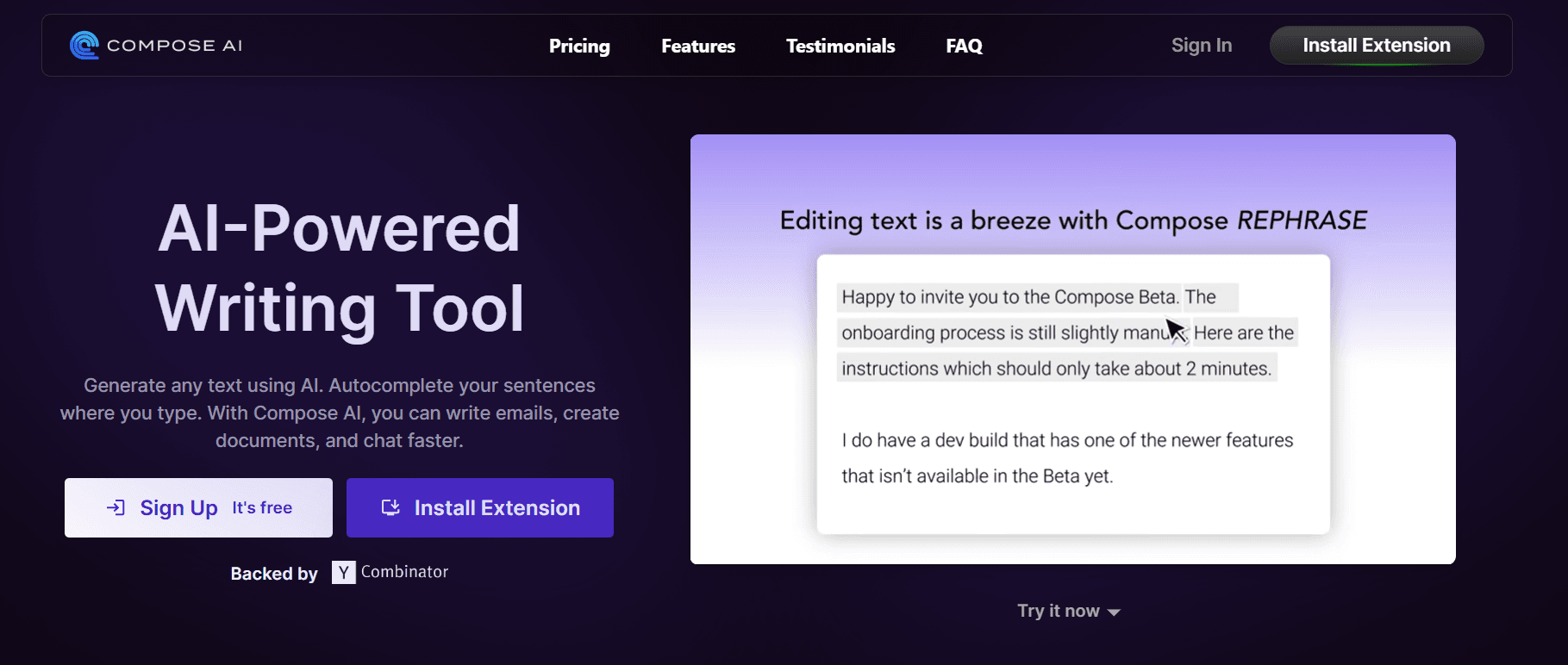
Compose AI is a workflow enhancer that acts like a powerful autocomplete.
It's not a full-on writer, but a Chrome extension that helps you write and rephrase right where you work to make it more human.
Its biggest strength is that it learns your personal writing style to offer personalized suggestions.
It's incredibly effective for speeding up repetitive tasks. For example, if you find yourself typing the same email greetings over and over, Compose AI can finish those sentences for you.
As one reviewer found, it's "incredibly effective for repetitive tasks like writing standard email pleasantries or common phrases in reports."
But it’s less effective for more complex or long-form content. Think of it as an assistant that helps you type faster, not a tool that will generate an entire blog post for you. It's perfect for anyone looking to make their day-to-day writing a bit more efficient.
Key features of Compose AI
- Personal writing style adaptation: The tool learns from how you write to offer personalized phrase and sentence suggestions that match your voice.
- Rephrase and Reword: Lets you highlight any text to quickly shorten, expand, or reword it for better clarity or a different tone.
- AI-powered Autocomplete: Finishes your sentences as you type, significantly speeding up the writing process for common phrases.
- "//" command generation: Lets you type a short command (e.g., //intro) to generate longer, predefined blocks of text without leaving your keyboard.
- 1-click email replies: Generates full draft replies to emails with a single click, speeding up inbox management.
Pros of using Compose AI
- Excellent for speeding up repetitive writing tasks in emails and short-form content.
- Learns and adapts to your personal writing style for more relevant suggestions.
- Integrates directly into your workflow as a simple Chrome extension.
- Provides powerful in-line tools for quick rephrasing and sentence completion.
- Offers a free version for basic use.
Cons of using Compose AI
- Less effective for generating or assisting with complex, long-form content.
- Functions primarily as an assistant and autocomplete tool, not a full content generator.
Compose AI pricing:
- Free: $0/month
- Premium: $14.99/month
- Ultimate: $49.99/month
- Note: You can save with annual billing.
Writecream: Best for generating human-sounding outreach copy
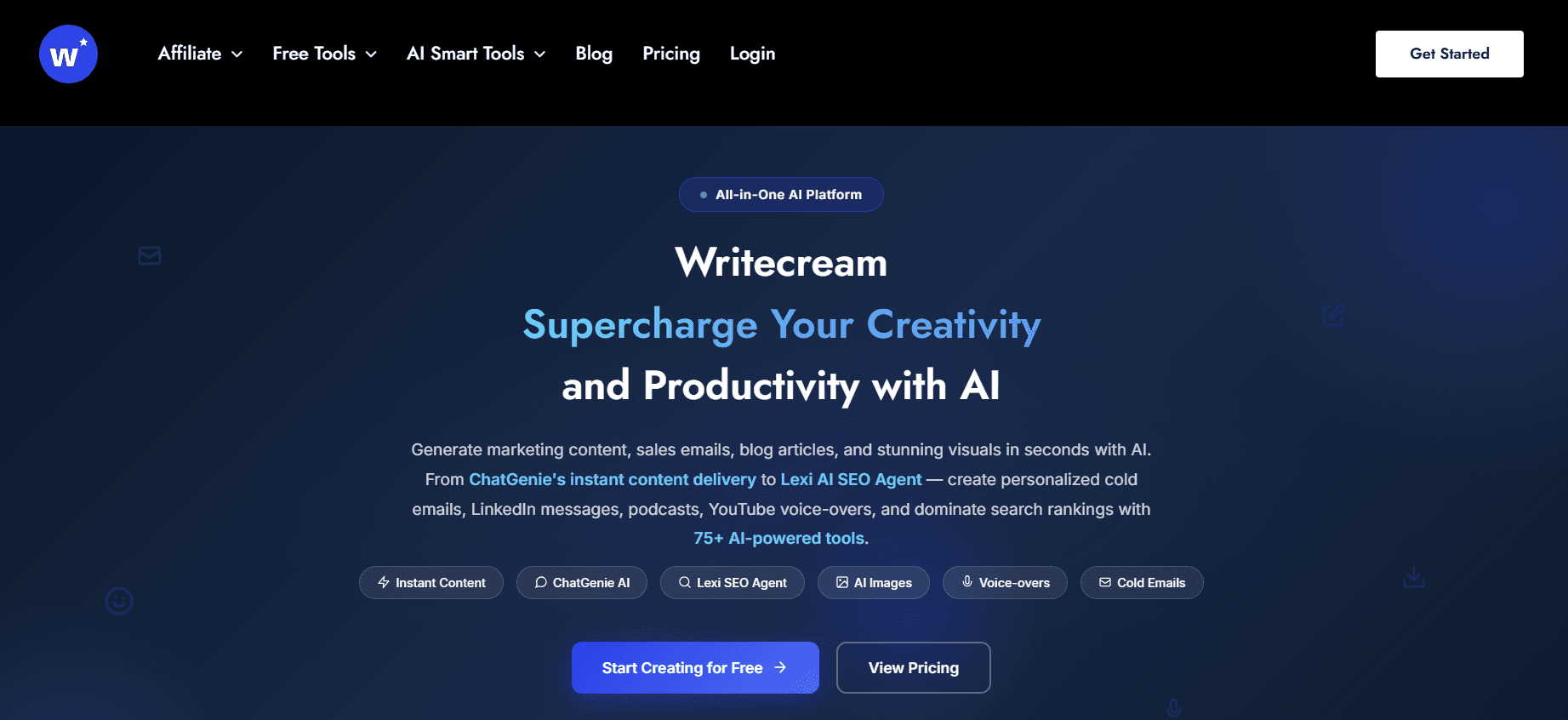
Writecream is a multipurpose AI content toolkit designed for sales and marketing outreach.
User reviews often praise its ability to produce "humanistic answers." This makes it effective for specialized tasks like generating personalized cold emails, LinkedIn messages, or even well-articulated answers for forums like Quora.
But just remember what I said about jack-of-all-trades tools. While the cold outreach copy might be human-like, it doesn't mean all content types are of the same quality.
Its process is AI-led, so you should expect to do heavy editing to add the human insights and nuances needed for high-quality B2B content.
If your team needs a versatile set of tools for specific outreach tasks and social media content, Writecream is a strong contender. Just be prepared to give the output a thorough review before hitting publish.
Key features of Writecream
- Personalized cold outreach: Generates customized cold emails and LinkedIn messages based on a prospect's profile information.
- Social media content creation: Produces posts and copy tailored for various social media platforms.
- Paraphraser: Rewrites sentences and paragraphs to improve flow, clarity, and tone, a feature users particularly enjoy.
- Quora Answer Assist: Drafts detailed, well-articulated answers to questions to help build authority on forums.
- YouTube video scripts and voice-overs: Creates full video scripts and can generate a corresponding AI voice-over.
- Blog and article generation: Assists in creating first drafts for blog posts and articles.
- Google and Facebook ad copy: Generates copy specifically formatted for paid ad campaigns.
Pros of using Writecream
- Praised for producing "humanistic answers" that sound natural and well-articulated.
- Excels at specialized marketing tasks like personalized outreach and Quora answers.
- Offers a very wide suite of AI tools, covering everything from social media to blogs and ad copy.
- The interface is reported to be fast and easy to use.
- Includes a free plan, allowing users to test its capabilities before committing.
Cons of using Writecream
- As a "jack of all trades" tool, the output quality can be inconsistent across its various features.
- Content is AI-led so prepared to do heavy editing to add the necessary human insights and POV.
Writecream pricing:
- Free: Free
- Unlimited: $29/month
- Unlimited Pro Max: $49/month
- Custom: User-defined pricing available upon request.
Quillbot: Best for rewriting and refining existing content

I think of Quillbot as the essential editing partner for B2B writers and marketers.
It’s not a content generator; its core strength is polishing and rephrasing existing text.
So if you have a messy first draft or some AI-generated content that sounds a bit stiff, Quillbot is the tool you use to clean it up. As one user said, "If your writing is messy, repetitive, or just too 'I wrote this at 2 AM,' Quillbot can clean it up pretty nicely."
Its AI Humanizer is a big feature that directly addresses the need to make AI-drafted content sound more natural.
This makes it a great final step before publishing. You could generate a draft in another AI tool, and then run it through Quillbot to improve the flow and clarity.
The main thing to know is that it won't create content from scratch for you. Also, while it’s designed to avoid AI detection, some users report that its output can still occasionally be flagged.
But for its intended purpose, refining and rewriting, it's an excellent tool to have in your arsenal.
Key features of Quillbot
- AI Humanizer: A dedicated mode designed to rewrite text to make it sound more natural and less likely to be flagged as AI-generated.
- Paraphraser with multiple modes: Offers distinct modes like Fluency, Formal, and Creative to provide granular control over how your text is rewritten.
- Tone insights: Analyzes your text to provide feedback on its tone, helping you better align it with your target audience.
- Summarizer: Quickly condenses long articles, documents, or reports into key points to save reading and research time.
- Grammar Checker: Functions as a robust alternative to other grammar tools, helping to correct mistakes and improve writing quality.
Pros of using Quillbot
- Excels at improving the clarity, flow, and polish of existing content.
- The AI Humanizer is specifically built to make text sound less robotic.
- Multiple paraphrasing modes give users precise control over the output.
- Simple and fast for cleaning up messy or repetitive first drafts.
- Acts as a strong final editing step before publishing AI-drafted content.
- Offers a comprehensive suite of editing tools, including a grammar checker and summarizer.
Cons of using Quillbot
- It is not a content generator and cannot create new articles from a prompt.
- Despite the Humanizer feature, its output can still sometimes be flagged by AI detectors.
- Its focus is narrow; it lacks the broad content creation features found in all-in-one platforms.
Quillbot pricing:
- Free: $0/month
- Premium: $4.19
- Annual plan available
Frequently asked questions about AI tools for human-sounding B2B marketing content
What is the main difference between AI-led and human-led AI writing tools?
This is a big one. AI-led tools jump straight to generating content, which then forces you to do heavy editing to add real insights.
On the other hand, I believe the best approach is a human-led, AI-assisted workflow. Tools like Leaps start by capturing your unique perspective before the AI drafts anything, which ensures the final output is built on actual human thinking.
Can AI tools really create content that sounds like my unique brand voice?
Many tools now offer brand voice features, like Jasper and Rytr, which can learn from your style guides or past writing. But even with these features, an AI-led process can still miss the mark.
From my perspective, the goal is to find a tool that creates content that sounds specifically like you, not just generically "human." And a human-led process like Leaps will help you create content in your unique brand voice.
Will I still need to heavily edit content from these tools?
Yes, for a lot of them, you absolutely will. This is especially true for tools that follow an AI-led process. I've seen that relying on AI solely for first drafts often creates that "AI stiffness" that needs deep editing to inject genuine human insights and a point of view that only you can provide.
How can I avoid creating generic "AI slop" with these tools?
My primary advice is to adopt a workflow that amplifies your thinking rather than outsourcing it to AI. You should prioritize tools and processes that are human-led and AI-assisted like Leaps. This approach ensures your content is based on your team's actual expertise, allowing you to stand out from the noise instead of blending in.
Choosing AI that honors human expertise
After looking at all these tools, the choice comes down to one question about your workflow.
Do you want an AI to give you a first draft that you then have to heavily edit, or do you want an AI that helps you scale your own expertise from the start?
Many tools on this list are great for the first approach and to get human-sounding content.
They’ll get words on the page fast, but you'll be the one responsible for injecting the personality and point of view that separates great content from AI slop. That's the trade-off for speed in an AI-led process.
From my experience, the more sustainable path is to prioritize tools that use a human-led, AI-assisted workflow. This ensures your core insights are always the foundation of the content.
Instead of replacing your thinking, the AI becomes a partner that helps you research, structure, and draft content that scales your authentic voice.
So, take a look at your current process. If you’re tired of fighting to inject personality back into generic drafts, it might be time for a different approach. Consider a tool like Leaps, which is built from the ground up to amplify human expertise and combat "AI slop" from the very start.
Related:
Rennie Ijidola
Hi! I'm Rennie, Co-founder @ Leaps, the anti-AI slop expert-led AI content creation platform that helps you create expert-led content with AI that amplifies your thinking, not replaces it. It helps you capture insights from you or your experts, gather accurate research, and turn it all into high-quality content for SEO, GEO, personal branding, and exec thought leadership — without sacrificing quality.
Before building Leaps, I spent years as a freelance editor working with content writers before joining my co-founder, Victor to run our content agency for B2B and SaaS brands, from startups to enterprise companies.