
9 Best Writesonic Alternatives for Content Writing (With Reviews)

Writesonic is a household name for its speed and the variety of templates it has.
And that’s great when you’re trying to quickly overcome writer’s block.
But that speed doesn’t always translate to quality.
From my experience, many other AI content tools (Writesonic included) share a fundamental flaw: they often create generic content first and leave you to force in your own points of view (POVs) later.
And this approach often easily leads to drafts that don’t match your expectations. I saw one Reddit user mention that with these tools, "The quality of content could vary strongly."
Another put it bluntly, saying this about Writesonic: "ended up not using their content because it didn't meet my personal quality standards."
If any of those reviews sounds familiar, you’re in the right place. We’ll look at the best tools for different marketing needs, from creating expert-led SEO articles to maintaining a consistent brand voice at scale.
Why users look for alternatives to Writesonic
Based on our research and what I’ve seen in the industry, here are the main reasons people start looking for an alternative to Writesonic:
- Inconsistent content quality: The output from the tool can be a mixed bag. Sometimes it's a great starting point, but other times it requires heavy editing. As the Reddit user I mentioned earlier pointed out, "The quality of content could vary strongly depending on whether you pick Premium or Average quality."
- High cost for full functionality: To get the most valuable features, you often have to subscribe to the more expensive plans. This can make the cost-to-value ratio feel off. One marketer noted they upgraded to a $249/month plan because cheaper plans lacked necessary functions, calling it "a very expensive tool" and ultimately concluding the content didn't meet their standards.
- Unresponsive customer support: Unfortunately, some users have recently reported slow or unhelpful responses.
The 9 best Writesonic alternatives: a quick comparison
Name | Key benefit | Best for | Pricing |
An anti-AI slop content creation tool that helps you show up when buyers search and writes with only your POVs + fact-checked research, so no AI slop. | Marketers, founders, solopreneurs, and professionals who refuse to publish generic AI slop and want to create high-quality, POV-led & research-backed, long-form SEO, AEO, LinkedIn, or thought leadership content based on real human insights. | Basic: $49/month | |
The all-in-one content suite | Content marketing teams & agencies needing multiple content formats | Pro: $69/month | |
The GTM automation tool | Go-to-market teams automating & scaling content creation processes | Self-serve: $29/month Enterprise: Custom | |
Best budget-friendly starter | Freelancers & small teams needing a simple tool for daily writing tasks | Free: $0/month | |
The all-in-one SEO content hub | SEO professionals looking to streamline research & content optimization | Starter: $49/month | |
The creative writer's choice | Creative writing, problem-solving, and in-depth research tasks | Free: $0/month | |
The enterprise brand guardian | Large teams needing to enforce brand consistency & security at scale | Enterprise: Custom | |
The data-driven copywriter | Performance marketers focused on conversion-optimized ad & landing page copy | Starter: $49/month | |
Integrated content solution | Content teams who want to scale from AI tools to managed content services | Pricing not available on website. |
Breaking down the top 9 Writesonic alternatives
Now, let's look at each of these tools in more detail. When I evaluate AI writers, I find it’s most helpful to think about the specific job you need to get done.
The "best" tool really depends on your answer, so I've organized the following reviews around specific use cases. This way, you can quickly find the alternative that best matches your team's day-to-day workflow. Let's find the right fit for you.
Leaps: The best anti-AI slop SEO/AEO content creation tool

I think we can all agree that the biggest problem with most AI writers is the generic, low-quality "AI slop" they often produce.
Leaps is designed to be the exact opposite. It's called an anti-AI slop content creation tool because its entire process amplifies your unique points of view (POVs) and expertise, not just rehashes what's already online.
If you need a tool that helps you create anti-slop content that's particularly designed to help your product show up when ready-to-buy prospects search, Leaps is perfect for you.
"Ready-to-buy prospects" typically search things like:
- [product A] vs [product B]: which one works better?
- [product X] alternatives for Y
- How to [do a job to be done]
... and so on.

And Leaps comes with ready-made workflows that helps create content like this without sacrificing quality.
The core difference vs other AI content tools is that Leaps doesn't start writing until it gets your point of view and direction for every single part of your content. It uses journalist-style interviews to pull out your unique insights first – whether you’re creating LinkedIn posts or SEO content.
This ensures the final piece is authentically yours.
After capturing your thoughts when creating long-form content, its AI research assistant does live research to find data and facts to back up your points. This human-led, AI-assisted approach helps you create truly original content that helps you rank and show up when buyers search.
One Leaps user explains it like this: "It's so refreshing. It prioritizes quality... It's like an AI tool that operates how humans do with the journalist questions that pull out my insights for the content."
Key features of Leaps
- Journalist-style interviews: Guides you through a structured Q&A to pull out your unique perspectives and direction before writing a single word.
- AI research assistant: Performs real-time research and fact-checking to make sure your content is accurate and supported by data.
- Ready-made, “anti-AI slop” SEO/AEO content workflows: Provides customizable templates for long-form SEO/AEO content (like how-to guides, product alternatives, x vs y comparisons, listicles, etc.), prioritizing your unique POVs.
- Anti-AI slop, expert-led content creation in multiple formats: You can create long-form SEO & AEO content, LinkedIn posts, thought leadership articles, newsletters, quotes, and tweets from your insights captured.
- Leaps Copilot: Just tell Leaps what you want in plain English, and it guides you to the right workflow for your goal with no prompt engineering needed.
- SME interviews & insights extraction: It has a specific workflow to help you capture and organize knowledge from your subject matter experts or executives for content.
- Voice-to-text insight capture: Lets you or your experts simply talk through their ideas, which makes getting their knowledge much faster and more natural.
- Saved writing style: Analyzes your past writing and brand guidelines to ensure all new content consistently matches your brand’s unique voice.
Pros of using Leaps
- Creates highly original content that reflects your actual expertise and POV and helps you show up when buyers search.
- Avoids the generic, repetitive output common with other AI writers.
- The interview-first process makes sure the final article is genuinely valuable and authentic.
- Built-in real-time, fact-checking research assistant adds a layer of credibility and accuracy by eliminating AI hallucinations.
- It's easy to use with little to no learning curve; I know it was built by content experts for content experts.
- The workflow mimics a human-centric, journalistic approach to content creation.
- Versatile for creating a wide range of B2B content, from long-form SEO articles to thought leadership articles, LinkedIn posts, newsletters, etc.
- Simplifies the process of collaborating with and extracting knowledge from busy subject matter experts without getting on calls
- Creates content that not only sounds human but sounds specifically like your unique brand voice.
Cons of using Leaps
- The in-depth interview process may require more upfront time than one-click generation tools.
- It might be less suited for users who want to completely outsource their thinking to AI and have AI generate ideas from a blank slate.
Leaps pricing:
- BASIC: $49/month
- PRO: $99/month
- PREMIUM: $149/month
- Custom: Contact for pricing
- You can save 20% with annual billing.
Jasper: Best for all-in-one content creation

I see Jasper as the "all-in-one content suite."
If you're on a marketing team that needs to pump out a wide variety of content, from blog posts to ad copy and even AI-generated images, this tool brings it all together. It’s packed with over 50 templates to get you started on almost any task.
But, it's important to know that Jasper has the same fundamental flaw I see in Writesonic.
Its process is AI-led. Which means it’s on you to go back and manually inject your own insights, stories, and expert opinions.
So, while it’s great for getting something on the page, expect to spend a good amount of time editing.
As one reviewer mentioned, it "gives a solid foundation I can work off of."
But another reviewer said, “The output is always generic now.” And another said, “it gave me garbage constantly.”
Key features of Jasper
- 50+ pre-built templates: Provides a wide range of frameworks for various content types, from ad copy to blog posts.
- Jasper Chat: A conversational AI assistant that allows for more interactive brainstorming. This is great for getting unstuck.
- AI-powered image generation (Jasper Art): Lets you create unique, AI-generated images to accompany your text content directly within the platform.
- SEO mode: Includes features to help you integrate keywords and optimize content for better search engine performance.
- Brand voice: Learns and adapts to your company's specific tone and style to maintain brand consistency across all generated content.
Pros of using Jasper
- Offers high versatility, allowing the creation of many different content formats.
- Works great for getting started, generating outlines, and overcoming writer's block.
- The chat feature enables a more interactive and conversational creative process.
- Built-in AI image generation streamlines the asset creation workflow.
- Provides a solid foundation or first draft that users can then refine.
Cons of using Jasper
- The workflow doesn't prompt for your unique insights upfront, often leading to generic-sounding initial drafts.
- Requires significant manual editing to add a unique point of view and ensure high content quality.
- It can be expensive if you upgrade from their starter plans. As one user noted after trying both Jasper and Copy.ai, they're "amazing tools, but expensive."
Jasper pricing:
- Pro: $69/month
- Business: Custom pricing
- You can save approximately 20% with annual billing.
Related:
- 11 Jasper Alternatives (#1 Writes Zero AI Slop)
- Writesonic vs Jasper: The Differences, Reviews, Pricing, Etc.
- Jasper AI Pricing, Features, & Reviews: Is It Worth It?
- Jasper vs. Copy.ai vs. Leaps: Which AI Writer Is Best for You?
Copy.ai: Best for GTM automation

If you're looking for a tool that moves beyond writing single pieces of content and helps you automate entire go-to-market motions, Copy.ai is built for you.
It’s best for GTM teams that need to create repeatable, scalable processes for their marketing and sales content.
For example, you could use its "Workflows" feature to take a single webinar recording and automatically generate a blog post summary, a series of LinkedIn posts for the speakers, and a follow-up email sequence.
This is where it really separates itself from being just another AI writer.
Its Blog Post Wizard is a standout feature. It gives you the ability to influence each section of your content as it’s being created, which gives you more control over the output than many other tools.
This feature is clearly a user favorite, with one review saying the "First Draft Wizard" is a feature that "works like magic for writing content such as blog posts."
Key features of Copy.ai
- Workflows and automation: Build and automate multi-step content tasks to scale your output efficiently.
- Blog post wizard: A guided process that helps you create a complete first draft from just a title in a few minutes.
- Extensive template library: Offers over 90 pre-built templates for a wide variety of marketing and sales copy.
- Tone & style adjustment: Lets you quickly change the tone of your text to fit different brand voices or campaign goals.
- Collaboration tools: Provides a workspace for teams to create, review, and edit content together.
Pros of using Copy.ai
- Strong focus on automating entire content workflows, not just generating text.
- The "First Draft Wizard" dramatically speeds up the creation of structured, long-form content.
- You can influence each section during blog creation, giving you more control over the final draft.
- Its large library of 90+ templates is a great starting point for almost any marketing task.
- It helps go-to-market teams scale content production effectively.
Cons of using Copy.ai
- While it's great for first drafts, the content still needs significant editing to add original, human perspectives. A marketing director noted it's "a great tool for getting the initial draft started, but then you'll have to edit, delete, and write your own material afterward."
- The pricing has a very big jump between the plan for individuals and the first plan for teams.
Copy.ai pricing:
- Self-serve: $29/month
- Enterprise: Custom
- You can save 20% with annual billing.
Related:
- 9 Copy.ai Alternatives for SEO and GEO Content
- Copy.ai vs. Leaps: Which One Produces Better Content Quality?
Rytr: Best budget-friendly starter

If you're a freelancer, solo creator, or part of a small marketing team that needs a simple, no-frills tool for daily writing tasks without a big investment, Rytr is a great place to start.
It's incredibly easy to use and one of the most affordable options out there.
But I'll be direct with you, there's a trade-off. In my experience, the lower price point on tools like this often means you'll still have lots of editing work to do.
The main issue is that this AI-led workflow encourages outsourcing your thinking to AI, so you’d end up getting generic writing since it’s not based on human POV.
User feedback reflects this balance. One Reddit user said they found "Rytr to consistently meet my content creation needs." Yet, it's also common to see comments from a Quora user like: "The writing quality needs a bit of work."
Key features of Rytr
- Browser extension: This is a great feature that lets you use Rytr’s AI assistance across different platforms like Gmail and Google Docs, which is super convenient.
- Built-in plagiarism checker: Rytr includes a plagiarism checker, which helps you ensure the originality of your content and is a nice touch for a tool at this price point.
- 40+ content use cases: It gives you a versatile range of templates for short-form content like ad copy, emails, and social media posts.
- Support for 30+ languages: You can create content for a global audience, making it useful for international marketing efforts.
- 20+ tones of voice: It offers the flexibility to change the writing style to better match your brand or a specific campaign message.
Pros of using Rytr
- Extremely affordable, with a generous free plan available to get started.
- Simple and intuitive interface, making it easy for beginners to use.
- Versatile with a wide range of templates for short-form content.
- Convenient browser extension integrates seamlessly into existing workflows.
- Includes a built-in plagiarism checker, a feature often found in more expensive tools.
Cons of using Rytr
- Content quality can be inconsistent and often requires significant manual editing and refinement.
- Lacks the advanced features and deep workflow capabilities of more robust platforms.
- Not ideal for long-form content like in-depth blog posts or articles.
Rytr pricing:
- Free Plan: $0/month
- Saver Plan: $9/month
- Unlimited Plan: $29/month
Related:
- Rytr Review, Pricing, & Features: Is It the Right AI Writer for You?
- 9 Rytr Alternatives For Content Writing (Reviews, Features, Pricing, Etc.)
- Jasper AI vs Rytr: My Findings, User Reviews, Pros & Cons
- Writesonic vs Rytr: Which One Creates Better Content?
Claude: Best for creative, human-like writing

I see Claude as the creative writer's choice.
When you need content that feels less robotic and more natural, especially for nuanced or creative pieces, it's one of the best options out there. Its output is often more sophisticated than many competitors.
But there’s a big trade-off you need to know about. Claude is a powerful raw engine, not a guided, workflow-driven tool.
If you’re looking for pre-built templates that walk you through creating a blog post step-by-step, this isn't it. You have to bring your own expertise to get a strong article.
This hands-on approach is why it produces such high-quality, human-like content.
One Reddit user switched to Claude for content writing because they felt GPT-4o was getting "too robotic," and they "never looked back." Another user agreed, saying the premium version, Opus, is "still better for creative writing."
Key features of Claude
- Content creation and editing: It excels at producing sophisticated, coherent, and creative text for various formats.
- Web search integration: It can pull real-time information from the web to keep its responses and content up-to-date.
- Analyze text and images: It can interpret and provide insights on both written documents and visual inputs.
- Generate and visualize code: It acts as a capable assistant for developers by writing, debugging, and explaining code.
- Google Workspace integration: It connects with tools like Gmail and Google Docs to streamline workflows like drafting emails or summarizing documents.
Pros of using Claude
- Generates sophisticated and natural-sounding text that is less "robotic" than many alternatives.
- Produces superior output for creative and nuanced long-form content.
- Integrated web search allows for the inclusion of real-time data and information.
- Offers a versatile tool that can handle tasks beyond writing, including coding and image analysis.
- Provides a generous free tier for users to test its capabilities.
Cons of using Claude
- Requires users to build their own content workflows, which can be challenging for beginners.
- Lacks the pre-built templates and structured guidance that other AI writers provide.
- Effectiveness is highly dependent on the user's ability to craft detailed and strategic prompts.
Claude pricing:
- Free: $0/month
- Pro: $20/month
- Team: $25/user/month
- Users can save with annual billing.
Anyword: Best for performance marketers

I see Anyword as the "data-driven copywriter." It's built for performance-focused marketers who live and breathe conversion rates.
If your main goal is to create ad copy, landing pages, or emails that get clicks and drive sales, this tool is designed for you.
Its brand voice customization and the Google Chrome extension are particularly useful. Training the AI on your specific brand messaging is crucial for consistency, and the Chrome extension is just plain convenient. It lets you use its features right inside your ad managers without switching tabs.
Instead of just guessing which ad headline will work, Anyword gives you a predictive score for each. This data-first approach is confirmed by users, with one review noting that it "helps in predicting what kind of content will engage with our audience more." Another user stated, "I'm now seeing more engagement, clicks, and conversions on my content."
Key features of Anyword
- Predictive performance scores: Provides an estimated score to forecast how well copy will perform with a target audience before it's published.
- Brand voice customization: Allows you to train the AI on your brand's messaging, tone, and style guides to ensure all generated copy is consistent.
- Google Chrome extension: Enables you to use Anyword’s features seamlessly across various websites and platforms, like ad managers and social media.
- 100+ marketing templates: Offers a wide variety of frameworks and prompts specifically designed for marketing copy, including ads, emails, and landing pages.
- Blog wizard: A guided workflow for creating full blog posts, which includes a built-in plagiarism checker to ensure originality.
Pros of using Anyword
- Focuses specifically on conversion-driven copywriting.
- Predictive scoring helps de-risk content creation and ad spend.
- Helps maintain brand consistency with its voice customization features.
- Offers flexibility to use across multiple platforms via its Chrome extension.
- Provides a strong template library tailored for marketing and advertising needs.
Cons of using Anyword
- May be less suited for long-form SEO content compared to specialized SEO tools.
- The most valuable data-driven features are locked behind higher-priced plans.
- The focus on performance metrics may be overwhelming for users with simpler content needs.
Anyword pricing:
- Starter: $49/month
- Data-Driven: $99/month
- Business: Custom pricing
- Users can save up to 50% with annual billing.
Frase: Best for end-to-end SEO & GEO content creation

If you're an SEO professional or part of a content team looking to streamline your entire workflow, Frase is built for you.
I see it as an all-in-one SEO &GEO content hub. It’s designed to take you from keyword research and competitor analysis all the way to a fully optimized article, all within a single platform.
Now, personally, I don’t like content tools that base their content on what top-ranking pages are doing. This approach tends to lead to the copycat content we're all seeing online today. You might end up writing an article that has the same H2s as the top results, just rephrased, which doesn't add new value.
But I do like the Site Audits feature in Frase. It provides technical SEO audits that help you find and fix issues hurting your site's performance. It's clear that users see the value in its efficiency, too. One Reddit user mentioned, "If you have large sites, a tool like Frase is a huge time saver."
Key features of Frase
- AI-powered content briefs: Automatically generates detailed briefs based on an analysis of top-ranking search results, saving hours of manual research.
- Content optimization with real-time scoring: Provides a topic score as you write, suggesting key terms to improve your on-page SEO.
- SERP research & competitor analysis: Breaks down the structure, keywords, and headers of top-ranking pages for a given query.
- Topic cluster identification: Helps with content strategy by identifying related topics to build website authority.
- Site audits: Offers technical SEO audits to identify and help fix issues that could be negatively impacting site performance.
- AI brand visibility: Tracks your brand’s visibility on AI engines to help you optimize your content to show up in AI search.
Pros of using Frase
- Serves as an integrated, all-in-one solution for the SEO/GEO content lifecycle.
- Saves significant time on research and content brief creation, especially for large sites.
- The content editor provides real-time feedback and scoring to guide on-page optimization.
- Includes a technical site audit feature, a valuable tool for overall SEO health.
- Effectively streamlines the workflow between SEOs, strategists, and writers.
Cons of using Frase
- Its core workflow can encourage the creation of derivative content that mimics competitors.
- May not be the best fit for teams focused on creating truly unique, thought-leadership-driven content.
Frase pricing:
- Starter: $49/month
- Professional: $129/month
- Scale: $299/month
- Note: You can save 20% with annual billing.
Related: 10 Best Frase Alternatives for SEO Briefs and AI Content Writing
Writer: Best for maintaining brand consistency at scale

If you work in a large enterprise, you know the struggle. Getting hundreds of people across different departments to write with a single, unified brand voice can feel impossible. That's where I think Writer really shines, positioning itself as the "enterprise brand guardian."
This tool is built for organizations that need to enforce strict brand consistency and messaging at scale. Writer solves this by embedding your style guide directly into the tools your team already uses. It ensures everyone, from marketing to sales, uses the right terminology, tone, and phrasing.
The real-time feedback feature is especially powerful. As someone types, Writer provides on-the-fly suggestions to align their writing with your brand’s style guide.
This focus on consistency is consistently praised by users, with one product marketer saying, "I like that I can stick within the brand guidelines of the company and create consistent messaging."
Key features of Writer
- Real-time brand feedback: Provides on-the-fly suggestions to align all writing with your brand's specific style guide, terminology, and tone.
- Custom agent builder ('Playbooks'): Lets you create reusable AI tools and workflows tailored to your company's unique content creation processes.
- Knowledge Graph: Connects to your company's internal data sources to ensure content is accurate, up-to-date, and context-aware.
- Enterprise-grade security: Offers the security, privacy, and compliance features that large organizations require.
- Widespread integrations: Fits seamlessly into your existing tech stack, with plugins for Google Docs, Salesforce, Figma, and other business applications.
Pros of using Writer
- Excellent for enforcing brand voice and style guides across large teams.
- Reduces manual editing by providing real-time, in-line corrections.
- High-level security and governance controls make it suitable for enterprise use.
- Integrates directly into the tools your team already uses.
- Customizable AI workflows can automate repetitive content tasks.
Cons of using Writer
- Enterprise pricing is not transparent and may be cost-prohibitive for smaller businesses.
- Can be more complex to set up and manage compared to simpler AI writing tools.
- Focuses more on brand governance than on pure creative ideation.
Writer pricing:
- Enterprise: Custom pricing
Peppertype.ai: The integrated content solution
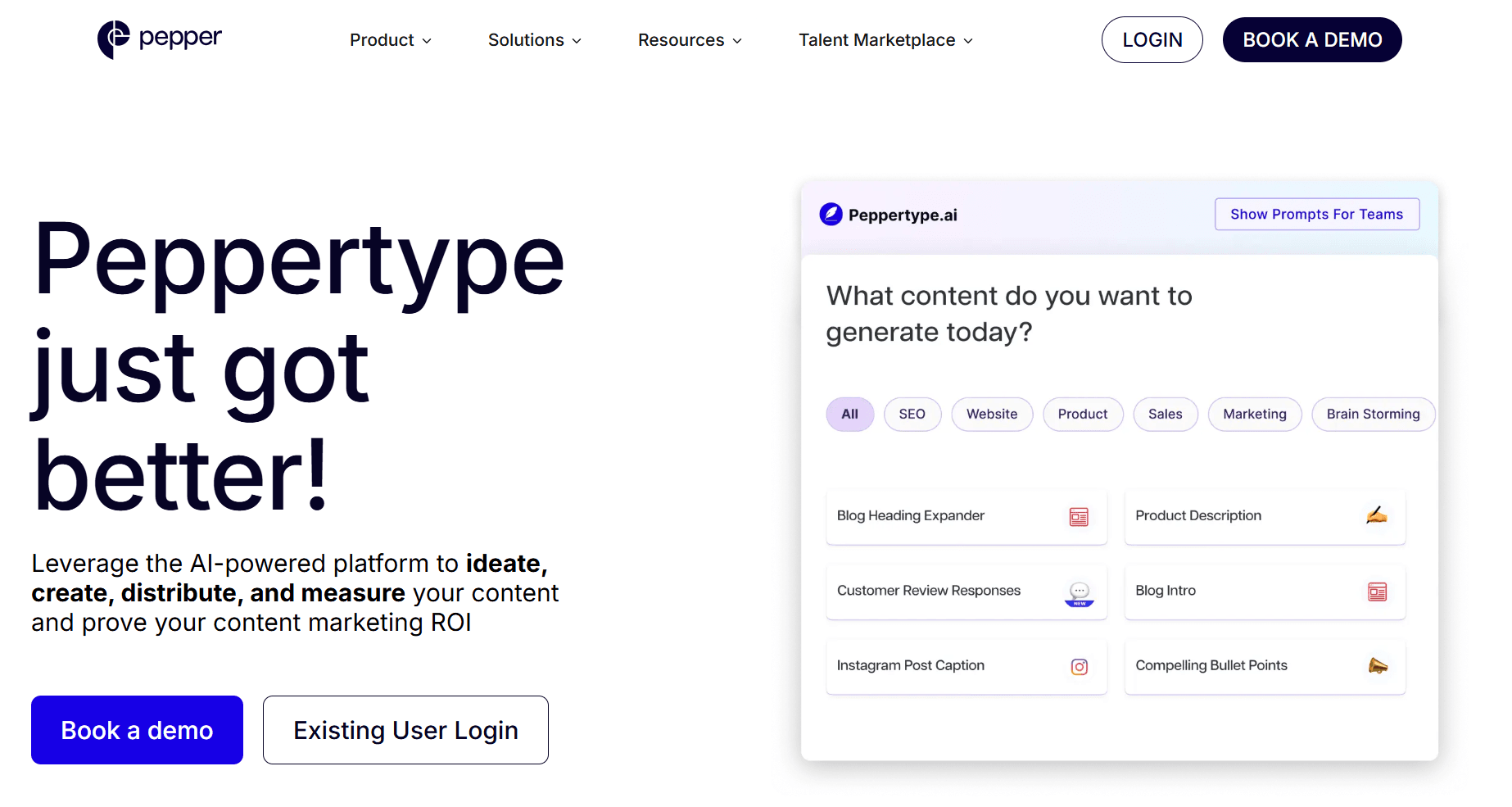
I think of Peppertype.ai as an "integrated content solution." It's not just a standalone AI writer, but the entry point into the larger Pepper Content platform. This is a great fit for teams who want an AI tool that can scale with them, eventually giving them access to a full marketplace of writers and managed content services.
This unique setup means you can start by generating content with AI and then seamlessly transition to working with human writers for more complex projects, all within one ecosystem. It offers a clear growth path for your content operations.
Key features of Peppertype.ai
- Automated content audits: This tool checks your content for readability and plagiarism, which is a good quality control step before you hit publish.
- Brand memory: This useful feature learns your brand’s specific voice and style, which helps you maintain consistency across all the content you generate.
- Intelligent text editor (Pepper Docs): This is a collaborative, AI-assisted editor where your team can create, edit, and manage content all in one place.
- SEO writing assistant: It gives you real-time suggestions to help you optimize your content for target keywords and improve its performance in search.
- Content and keyword research tools: These tools help you brainstorm new content ideas and find relevant keywords to target in your niche.
Pros of Peppertype.ai
- It offers a clear path from AI generation to a full marketplace of human writers and managed services.
- The Brand Memory feature is a huge plus for keeping your brand voice consistent across all your marketing channels.
- Integrated plagiarism and readability checks help you maintain high content standards.
- User reviews mention the interface is easy to use, which helps teams get up and running quickly.
Cons of Peppertype.ai
- You can’t find official pricing on the website, so you have to contact their sales team for details.
- Its biggest strength is its integration with the Pepper Content platform, which might not be what you’re looking for if you just need a simple, standalone AI tool.
Peppertype.ai pricing:
- Pricing information was not available on the official website, so contact them for pricing.
Frequently asked questions about Writesonic alternatives
You probably have a few questions, so let's get right to them. I'll answer some of the most common ones I hear based on my experience with these tools.
What is the biggest weakness of Writesonic and similar AI writers?
I think the fundamental flaw with many AI content tools, including Writesonic, is that they’re AI-led. They all focus on speed at all costs and tend to create content first then leave you to do heavy editing afterward.
This process often leads to inconsistent quality and means you'll spend a lot of time editing to make the content sound like it came from a human with real experience. It's a reactive approach, not a collaborative one.
Which Writesonic alternative is best for creating original, high-quality content with AI?
For truly original, expert-driven content, I'd point you toward Leaps. I see it as the best anti-AI slop content tool out there because its process is completely different.
Leaps doesn't write a single word until it captures your perspective for every part of the content through a series of interview-style questions. This human-first approach ensures the final piece is built around your unique expertise.
What is the best Writesonic alternative for large enterprise teams?
For large organizations, I recommend Writer. It’s like the "enterprise brand guardian" because its strength lies in enforcing brand consistency at scale.
Its features provide real-time feedback to make sure everything from terminology to tone of voice aligns with your brand guidelines. It’s perfect for teams where maintaining a unified brand voice across many departments is a top priority.
Is there a good budget-friendly alternative to Writesonic?
Yes, Rytr is what I’d call the "best budget-friendly starter." It's a great choice for freelancers, solo marketers, or small teams who need a simple tool for daily, short-form writing tasks without a big investment.
But keep in mind that you'll still have lots of editing work to do. The problem with many of these tools is they don't start by capturing your point of view, so you'll need to manually add your insights to make the content valuable.
Choosing the right Writesonic alternative for your content strategy
The core problem with many AI writers, Writesonic included, is that they often produce generic content.
From my perspective, the best alternative depends entirely on the job you need to do.
This isn't just about replacing one tool with another; it's a strategic choice to improve your content's quality and originality.
So choose the tool that best fits your job to be done and your budget without sacrificing content quality.
Related:
Victor Ijidola
Hi, I’m Victor Ijidola, co-founder @ Leaps, the anti-AI slop expert-led AI content creation platform that helps you create expert-led content with AI that amplifies your thinking, not replaces it. I'm also a professional content marketer for B2B and SaaS brands, and my work has been published by Entrepreneur, CXL, Inc.com and many more.