
11 Best AI Tools for Content Marketing (Reviews, Pricing, etc.)

The AI content marketing world seems to be split into two camps.
We have the do-it-all generalist tools and the special platforms built for very specific tasks.
I've worked with both, and there are definitely pros and cons to each approach, which we'll cover.
But I’ve found the best way to choose is to focus on the specific job(s) you need to get done, whether that’s boosting your SEO, repurposing videos, avoiding AI slop, or making sure your brand voice is consistent.
My goal here is to help you pick the right AI tools for the specific parts of your content marketing workflow you want to improve.
So I’ve structured this list by the main job(s)-to-be-done in each tool so you can solve your most immediate problems and find what you need to improve your content process right now.
Key highlights
From my own experience and research, a few big themes have emerged. If you’re a content marketer or founder trying to make sense of all these AI tools, these are the most important takeaways.
- Key takeaway #1: SEO tools are shifting their focus from old-school search rankings to "AI Visibility." I’ve noticed platforms like SurferAI, Writesonic, and Ahrefs are now all about Answer Engine Optimization (AEO) and Generative Engine Optimization (GEO).
- Key takeaway #2: To avoid creating "AI slop" and future-proof your brand, your content has to be based on human expertise, unique points of view, and information gain. generic AI content just won't cut it anymore, and you risk getting penalized.
- Key takeaway #3: Generalist tools like Jasper are useful for churning out a lot of different content, but from user experience, they often need heavy editing. Their AI-first approach can really affect the final quality, a point some users have also brought up.
- Key takeaway #4: Powerful generalist tools like Claude can produce text that feels very human. But they often need a lot of technical setup and a steep learning curve to be truly effective for marketing.
- Key takeaway #5: For big teams, keeping brand consistency is a huge deal. That makes specialized platforms like Writer essential for making sure style guides and accuracy are followed at scale, letting you centralize your brand voice.
A quick guide to the best AI content marketing tools
Name | Key Benefit | Best For | Pricing |
Creates expert-led, "anti-slop" content that helps you show up in search and AI answers by amplifying human expertise and POVs. | Content marketing teams, agencies, SEOs who want to show up where their customers search with zero-slop content, and want to build thought leadership. | Basic: $49/month | Pro: $99/month | Premium: $149/month. Save 20% with annual billing. | |
Improves and repurposes existing content while maintaining brand voice and analyzes data and reports. | Content marketers, writers, and email marketers who want to optimize existing content or analyze data. | Free: $0/month | Pro: $20/month ($17/month annually) | Max: $100/month. | |
Produces a high volume and wide variety of marketing content quickly, from blog posts to ad copy. | Content marketing and social media teams that need to create a lot of content at scale. | Pro: $69/month | Business: Custom pricing. Save ~20% with annual billing. | |
Maintains strict brand, style, and messaging consistency across all communications for large teams. | Enterprises and large content marketing teams that need to scale content creation while maintaining brand consistency. | Enterprise: Contact sales for pricing. | |
Quickly creates and edits on-brand visuals for social media and campaigns inside a familiar, easy-to-use design platform. | Marketers and teams who need to create visuals for social media, presentations, and campaigns. | Free: $0/month | Pro: $12.99/month | Teams: $14.99/month for the first 5 users. | |
Creates and optimizes content with industry-leading SEO data to improve visibility in traditional search and AI engines. | SEO specialists and content marketers looking to automate site audits, find ranking gaps, and optimize for AI citations. | Brand Radar AI: from $199/month | Custom prompt packages from $50-$250/month. Save up to 17% annually. | |
Turns hours of audio and video editing into a simple, text-based task for fast multimedia content creation. | Content marketers, podcasters, and YouTubers who create social media clips, product demos, and tutorials. | Free: $0/month | Hobbyist: $24/month | Creator: $35/month | Business: $65/person/month | Enterprise: Custom | |
Automatically turns long videos into dozens of viral-ready short clips for social media, complete with an AI virality score. | Repurposing long-form content like podcasts and webinars into short-form videos for social media. | Free: $0/month | Creator: $15/month | Pro: $29/month. | |
Monitors and optimizes your content to rank higher in Google's AI Overviews and other answer engines. | Content marketers and SEO professionals seeking to streamline on-page optimization for traditional and AI search. | Discovery: $59/month | Standard: $119/month | Pro: $219/month | Peace of Mind: $359/month. | |
A powerful research assistant for building fact-based articles and reports with fresh, accurate, and cited answers. | Content marketers conducting market research, competitive analysis, and keyword discovery. | Pro: $20/month or $200/year. | |
An AI Search Growth Engine designed to help you win customers by optimizing your content for visibility in AI search platforms. | Content marketers and SEO professionals looking to optimize for AI search and manage multiple clients. | Starter: $99/month | Basic: $249/month | Growth: $499/month | Enterprise: Custom. Save 20% annually. |
The top 11 AI tools for content marketers
Here, I’ll break down each tool’s unique positioning, key features, and ideal use case to help you choose the right solution for your content marketing needs.
1. Leaps: Best for creating expert-driven content that ranks

One of the biggest challenges for content marketers these days is showing up where buyers are searching with content that isn't just generic fluff.
To protect your brand from getting penalized by Google or AI algorithms, you need content with real information gain and unique points of view. Leaps helps create this kind of anti-slop content because it's built to amplify human thinking, not replace it.
It grounds every piece of content in your brand's unique POV by using a trained "AI Journalist" to interview you or your subject matter experts before it writes a single word.
This means the final output is based on real human expertise, which is exactly what you need to build trust with search engines.
It’s also built to help you create high-quality, research-heavy SEO and AEO content like product comparisons, alternatives, and how-to guides that your audience actually wants. It also comes with pre-built workflows for different types of content, so there's no complex setup or learning curve required.
Leaps also solves the huge problem of getting knowledge out of busy experts. Instead of endless meetings, its simple async workflow captures their insights.
They just click a link, answer questions with a voice note, and get back to their day, no sign-ups or logins needed. Then you can convert their insights into LinkedIn posts, newsletters, articles, etc.
As a Leaps user explains, "Leaps is revolutionizing the way we interact with our subject matter experts (SMEs)... It saves so much time!"
This human-first process is a breath of fresh air and also helps you avoid common issues like AI hallucinations or time-sucking edits.
Another user mentioned, "It's like an AI tool that operates how humans do with the journalist questions that pull out my insights for the content."
Key features of Leaps
- Pre-made anti-slop content workflows: You get customizable "anti-slop" workflows for different types of SEO/AEO content that require no setup.
- Anti-AI slop, expert-led content creation in multiple formats: You can create long-form SEO & AEO articles, LinkedIn posts, thought leadership articles, newsletters, quotes, and tweets from your insights captured.
- SME insights extraction: It captures expert knowledge through async interviews via voice or text, without needing your experts to join a call or create an account.
- AI journalist: This interviews you or your expert to pull out a unique brand POV before writing, ensuring every piece of content is original.
- Leaps Copilot: Just tell Leaps what you want in plain English, and it guides you to the right workflow for your goal with no prompt engineering needed.
- AI research assistant: For research-heavy articles, it finds and integrates fact-checked data, quotes, and statistics to back up your points and add authority.
- Voice-to-text input: You and your experts can easily provide input by just recording voice notes.
- Brand voice management: You can save and apply different brand voices and writing styles, which is great for agencies managing multiple brands.
Pros of Leaps
- Creates unique, high-quality content based on real human expertise, helping you avoid generic AI slop.
- Drastically simplifies getting insights from busy subject matter experts without meetings.
- Requires no setup or learning curve thanks to its pre-built SEO/AEO content workflows and natural language copilot.
- Helps you create content with unique POVs that can future-proof your brand against anti-spam penalties from Google and AI engines.
- Reduces the need for heavy editing and fact-checking that’s common with many AI writers.
- It's highly collaborative, letting you add unlimited team members and manage multiple brand voices.
Cons of Leaps
- It’s not designed for instantly generating tons of content; its workflow puts quality over raw speed.
- Its effectiveness depends on having real human expertise and POVs, as it’s built to amplify insights, not invent them.
Leaps pricing:
- Basic plan: $49/month
- Pro plan: $99/month
- Premium plan: $149/month
- Save 20% with annual billing.
2. Claude: Best for data analysis and building custom content marketing workflows

I see Claude as way more than just a content writer.
Think of it as a powerful AI assistant that you can build into a hub for analyzing data, creating reports, and running custom marketing processes. It’s not a simple, out-of-the-box tool, and that’s both its greatest strength and its biggest challenge.
Because Claude can analyze huge amounts of data and can be connected to different platforms through Claude’s MCP, it’s great for content marketers who need to pull insights from Google Analytics or social platforms and draft reports.
Its large context window is also fantastic for repurposing content while keeping everything on-brand. But, and this is a big but, it requires a lot of setup.
If you’re not ready to get technical and build custom workflows, you might be better off with a specialized tool that has already done that work for you.
This is especially true for writing. While people say it has a more human-like tone, getting it to match your specific voice requires heavy customization and editing.
For example, you could build a workflow where Claude analyzes your Ahrefs data for content gaps, drafts an outline, and then connects to Canva to create social graphics. That’s powerful, but it takes time.
As one user mentioned, the repurposing part alone can take a while to figure out, "still eating 30-40 minutes per piece even with Claude helping."
Key features of Claude
- Large context window: Analyzes long documents or style guides to ensure consistent and context-aware outputs.
- Data analysis & reporting: Processes and interprets data from Google Analytics, social media, and SEO platforms to help you draft reports.
- Custom workflows: Lets you create customized workflows and connect various marketing tools to centralize operations.
- Human-like writing style: Generates text that is often described as less robotic, though it needs a lot of guidance to match a specific brand voice.
- Analysis of text and images: Processes various inputs beyond just text, letting it pull insights from images and documents.
- Content Repurposing: Efficiently transforms long-form content into different formats, like social media posts or email campaigns.
Pros of using Claude
- Excels at analyzing and interpreting large, complex datasets for reporting.
- Offers high customization, letting you build a central marketing hub by connecting various tools.
- Its large context window is great for maintaining consistency when working with long documents.
- Produces content with a more natural, human-like tone compared to some other AI models.
- Its capabilities go beyond writing to include brainstorming, image analysis, and data interpretation.
Cons of using Claude
- Requires a big learning curve and technical skill to set up complex workflows.
- Demands heavy customization and editing to achieve high-quality, on-brand content.
- Not ideal for users needing a simple, out-of-the-box solution.
- May still require a lot of fact-checking and editing to fully capture a unique human perspective.
Claude pricing:
- Free: $0/month
- Pro: $20/month (or $17/month with an annual subscription)
- Max: $100/month
Related: 9 Best Claude alternatives for Writing (#1 is Anti-AI slop)
3. Perplexity: Best for research and competitor analysis

I think of Perplexity as the go-to research assistant for any serious content marketer.
It's an "answer engine" that gives you quick, accurate, and cited answers, which is exactly what you need for fact-based articles without spending days buried in search results.
But it's not just for finding facts. It’s also really useful for competitor analysis. You can ask it to summarize a competitor's content strategy over the last six months, and it will pull together info from across the web to give you a solid overview. This helps you build a smarter content strategy from the start.
The freshness of its data is what really makes it stand out. As one user said, "For anything requiring current info, earnings reports, sports stats, recent news, it's not even close…It’s unmatched." This is backed up by others. Another user said, “I think perplexity definitely outshines others in research. I love the labs feature and use it pretty consistently for my job in product marketing.”
Key features of Perplexity
- AI-powered search with citations: It gives you direct answers but also links back to the original sources, which makes fact-checking so much easier.
- Automated content research: You can ask it to gather and summarize information on any topic, which saves a ton of time.
- Competitor analysis: It can research a competitor's recent announcements or content to inform your own strategy.
- Trend forecasting: By pulling from recent news and data, it helps you spot emerging trends in your industry.
- File and photo uploads for analysis: You can upload your own documents or images and ask questions to get insights specific to your work.
- Content ideation: It's great for brainstorming new topics and angles based on its research.
Pros of using Perplexity
- Delivers exceptionally fresh, up-to-date information, making it perfect for timely content.
- Builds trust by providing direct citations for its answers.
- Saves a huge amount of time by automating the research phase of your work.
- Offers versatile functionality for both fact-finding and strategic competitor analysis.
- Lets you upload and analyze your own files for highly customized insights.
Cons of using Perplexity
- Users have complained about the usage limits being lowered.
- They’ve also complained that it’s deteriorating and losing its differentiation due to other tools in the market.
Perplexity pricing:
- Monthly: $20 per month
- Annually: $200 per year, which works out to about $16.67 per month
4. Jasper: Best for high-volume content production at scale

Jasper is known for its speed and its ability to churn out a wide variety of content.
If your team needs to quickly generate a lot of content, from ad copy and social posts to first drafts of blog posts, Jasper is built for that. It’s less of a specialized tool and more of a broad platform for many different formats.
As one reviewer noted, its biggest strength is versatility. It covers everything from blog posts to product descriptions from one place.
But from my experience, when you focus on speed and volume, you often lose quality. This is a common trade-off with AI-led platforms. Because of its AI-first workflow, the content often needs heavy editing and fact-checking.
You might get a first draft in minutes, but you'll spend time refining it. As a Reddit user put it, "quick drafts are okay, but structure and tone for blogs often felt off."
Still, Jasper has strong collaboration features and a good Brand Voice tool. These are really helpful for content teams, as they let you maintain some consistency across all the content you're creating.
Key features of Jasper
- Team collaboration tools: Jasper allows multiple users to work in the same space, which helps streamline the workflow.
- Brand voice customization: You can train the AI on your style guides and brand assets to help it generate more on-brand content.
- Content briefs and outlines: The tool helps content teams build a structure for articles, which is great for getting everyone aligned.
- Plagiarism checker: It includes a built-in tool to check for originality, which is useful when you're managing multiple writers.
- Jasper canvas: This is a visual workspace that gives your team a free-form area to brainstorm ideas and map out campaigns.
- 50+ templates: Jasper offers a wide range of templates for specific tasks like writing headlines or product descriptions.
- AI agents: You can use AI agents to automate marketing workflows that involve multiple steps into a single process.
Pros of using Jasper
- Its highly versatile platform can handle many different content formats.
- It's excellent for producing a high volume of content very quickly.
- The team collaboration features are strong and help manage content workflows.
- Its Brand Voice feature helps keep messaging consistent across channels.
- It offers over 50 templates to speed up specific marketing tasks.
Cons of using Jasper
- The AI-led process often creates content that needs heavy manual editing.
- It can be prone to "hallucinations" and generating content with an unnatural tone.
- You're often trading content quality for speed and volume.
Jasper pricing:
- Pro: $69/month
- Business: Custom pricing
- You can save about 20% by paying annually.
Related:
- 11 Jasper Alternatives (#1 Writes Zero AI Slop)
- Writesonic vs Jasper: The Differences, Reviews, Pricing, Etc.
- Jasper AI Pricing, Features, & Reviews: Is It Worth It?
- Jasper vs. Copy.ai vs. Leaps: Which AI Writer Is Best for You?
5. Surfer AI: Best for AI search visibility and answer engine optimization

SurferSEO has recently made a major pivot because of AI, as many other SEO tools on the market.
They've officially shifted from being an "SEO tool" to an "AI Visibility Platform," doubling down on what's next: Answer Engine Optimization (AEO) and Generative Engine Optimization (GEO).
This means Surfer is now designed to help you show up in places like Google’s AI Overviews, ChatGPT and other AI platforms.
It’s perfect for brands and SEO specialists who are looking ahead and want to monitor their visibility where the future of search is. It’s also great for optimizing content specifically to be cited by generative AI.
But if you still love a data-driven process for traditional SEO articles, the original Content Editor is still there. There are just new features to help you optimize, not just for Google SERPS, but for AI visibility.
A Reddit user summed it up well, saying “Surfer SEOs strength imo is content ideation and LLM/AI content creation.”
Key features of Surfer AI
- AI tracker: This is Surfer's biggest new focus. It monitors your brand's visibility and citations within Google’s AI Overviews, giving you daily updates.
- Competitor spying: This feature lets you see which competitors are getting cited by AI for your target keywords, so you can reverse-engineer their strategy.
- 1-click optimization for AI: You get specific "AI Search Guidelines" that tell you how to structure your content so it’s more likely to be used in AI-generated answers.
- Content editor: The platform's classic feature gives you a real-time score to guide your writing based on competitor data and keywords.
- Custom knowledge base: You can upload your own internal documents to make sure the AI writes based on your unique data, not just generic web info.
- Content audit: This tool analyzes your published articles and gives you clear recommendations for improving their performance.
- AI-generated outlines and briefs: It creates detailed content briefs by analyzing the top-ranking pages for any given keyword.
Pros of Surfer AI
- Its specialized focus on AEO and GEO prepares you for the next wave of search.
- You get unique data on your brand's visibility within AI search results, a key metric for the future.
- It directly integrates with Google’s Gemini model to provide more precise data on how Google’s AI sees your brand.
- The gamified Content Editor offers a clear, data-backed process. For example, one user found they saw "40% faster draft-to-publish times" after training writers on it.
- It provides tools for the entire content lifecycle, from keyword research to auditing existing pages.
- The Custom Knowledge Base help you create more unique and on-brand content.
Cons of Surfer AI
- The sharp pivot to AEO and GEO might make it a bit too complex if you just need a simple AI article writer.
- It's a specialized tool, so it probably won't replace a general-purpose AI assistant for your non-SEO tasks.
- Its writing tool is not good for technical writing. A user said it like this: “It generates generic fluff that readers spot immediately.”
SurferAI pricing:
- Discovery: $59/month
- Standard: $119/month
- Pro: $219/month
- Peace of Mind: $359/month
Related: 12 Best Surfer SEO Alternatives for Outlines & Articles (With Reviews)
6. Ahrefs AI: Best for managing the full SEO & AI search visibility lifecycle

Ahrefs is a full platform for SEO specialists who need to manage the entire visibility lifecycle, from keyword strategy all the way to optimizing for AI search engines.
If you're focused on creating content that's strategically engineered to rank from the get-go, this is your tool.
It’s really powerful for marketing teams who are looking ahead and optimizing for both traditional search and new AI answer engines.
The real power of AhrefsAI comes from its deep integration with Ahrefs’ massive SEO dataset. It’s designed to manage your whole workflow, from strategy to analysis.
As one user explained, "The AI didn't make the content good. It was Ahrefs' accumulated knowledge and systems. You need historical data, human content, experiences, insights, processes, to produce a good piece."
Key features of Ahrefs AI
- Brand radar: I think this feature is crucial. It uses AI to track brand mentions and sentiment online, a key signal for Generative Engine Optimization (GEO).
- AI content helper & grader: These tools give you a real-time "SEO score" and specific suggestions based on an analysis of top-ranking pages.
- AI search intent analysis: This goes beyond basic keyword tools by using AI to categorize keywords by user intent, like Informational or Transactional.
- AI-powered content gap analysis: This identifies valuable topics your competitors are ranking for that you aren't.
- AI translations (Multilingual SEO): This feature lets you localize content at scale while keeping SEO data intact, helping you grow in non-English markets.
- AI chat for brainstorming: This is a helpful assistant trained on marketing and SEO data to generate ideas and give you quick feedback.
Pros of using Ahrefs AI
- Leverages Ahrefs' industry-leading historical data to inform every AI-driven SEO strategy.
- Manages the entire SEO lifecycle in one place, from keyword research to AI search optimization.
- Provides real-time content scoring based on direct competitive analysis.
- Goes beyond simple keywords with advanced AI Search Intent Analysis to better match user needs.
- Features like Brand Radar are designed to monitor and improve visibility in generative AI engines.
- Offers powerful tools for multilingual SEO to help brands scale their visibility globally.
Cons of using AhrefsAI
- May be too complex for users who just need a simple, standalone SEO/AEO optimization.
- The platform's deep data integration might have a steeper learning curve.
Ahrefs AI pricing:
- Starter: $29/month
- Lite: $129/month
- Standard: from $249/month
- Advanced: from $449/month
- Enterprise: $1499/month billed annually
- Brand radar AI: from $199/month
- Custom prompt package, Basic: $50/month
- Custom prompt package, Growth: $100/month
- Custom prompt package, Scale: $250/month
- Users can save up to 17% by paying annually.
7. Descript: Best for text-based multimedia editing and AI-powered content repurposing
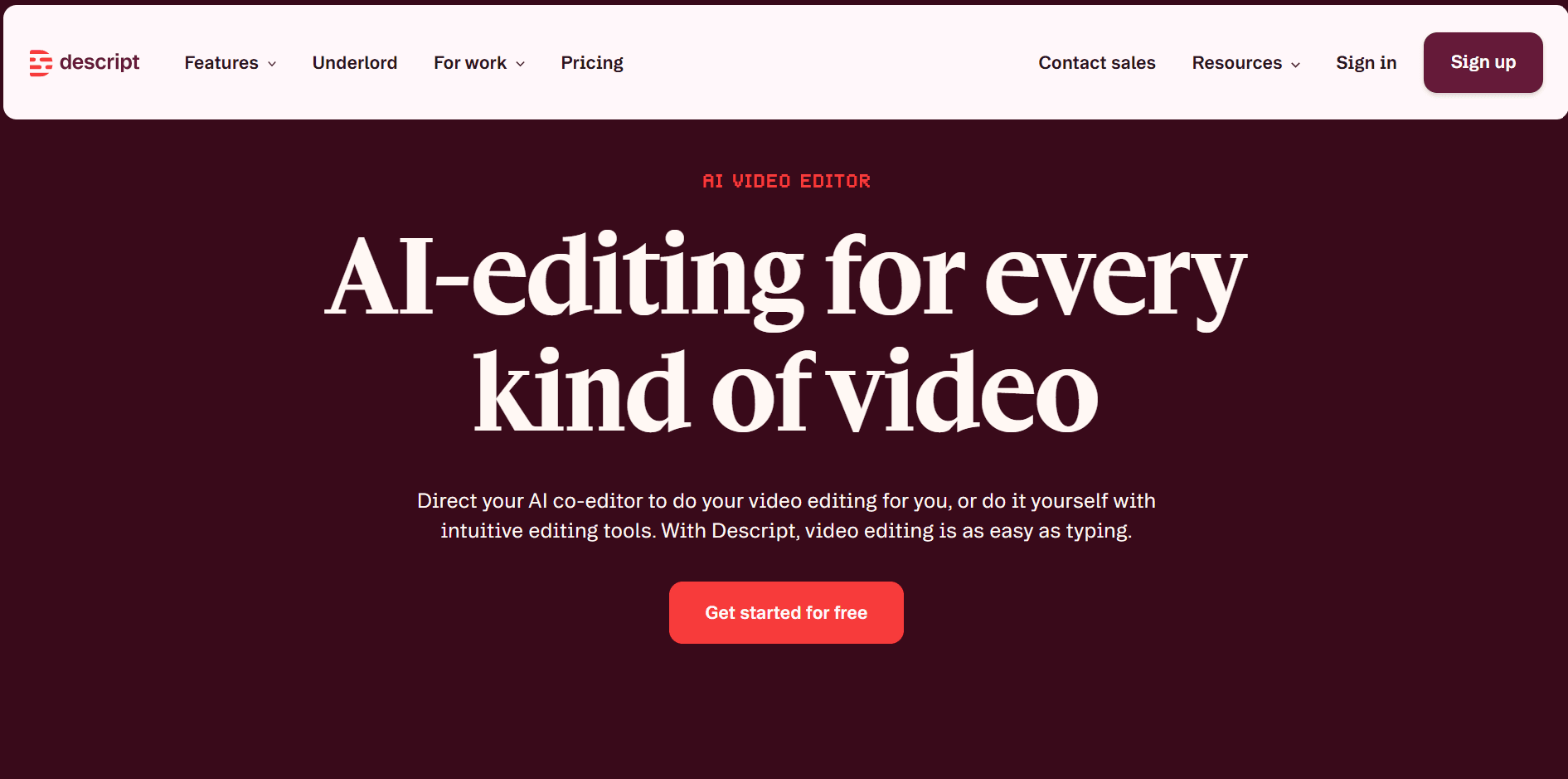
If you’ve ever had to edit a podcast or turn a long webinar into social media clips, you know how time consuming it can be.
Descript completely changes this workflow. It’s an essential tool for content marketers because it’s both a powerful repurposing engine and an all-in-one production suite.
Its biggest benefit is turning hours of complex multimedia editing into a simple text-editing task.
One user on Reddit put it perfectly, saying, "the text-based editing is exactly as good as people say... I read through the transcript, highlight the filler words... and delete them like I'm editing a document. The audio cuts seamlessly."
Beyond repurposing, Descript also uses AI to automate tedious jobs like removing filler words, cleaning up background noise, and even correcting your eye contact so you’re always looking at the camera.
Key features of Descript
- AI-powered text-based editing: Edit video and audio files by simply editing the automatically generated transcript.
- Studio sound: A one-click AI feature that enhances voice recordings and removes background noise.
- Filler word removal: Automatically detects and deletes filler words like 'um' and 'uh' from recordings.
- Create social media clips: Quickly highlight sections of a long video or podcast to generate multiple shareable clips.
- Eye contact: An AI feature that adjusts the speaker's gaze in a video so they appear to be looking at the camera.
- AI assistant (underlord): Provides support for script writing, generating ideas, and creating summaries or show notes.
- Green screen: AI-powered background removal that works without a physical green screen.
Pros of using Descript
- Dramatically speeds up the editing workflow for podcasts and videos.
- Lowers the learning curve for multimedia editing, making it accessible to anyone.
- Powerful one-click AI tools like Studio Sound save a ton of time on cleanup. As one reviewer noted, "as a first pass its a massive time saver."
- Excellent for content repurposing, letting you quickly pull dozens of clips from one long piece of content.
- Functions as an all-in-one platform for recording, transcribing, editing, and finishing projects.
Cons of using Descript
- Automated AI features, like filler word removal, need a manual review to ensure the audio doesn't sound choppy.
- Using some AI features can get expensive with recent AI token implementation.
- Some users say performance can sometimes be slow when working with very long or high-resolution video files.
Descript pricing:
- Free: $0/month
- Hobbyist: $24/month
- Creator: $35/month
- Business: $65/person/month
- Enterprise: Custom
- Annual billing is available at 35% off.
8. Opus Clip: Best for rapidly scaling a short-form video strategy
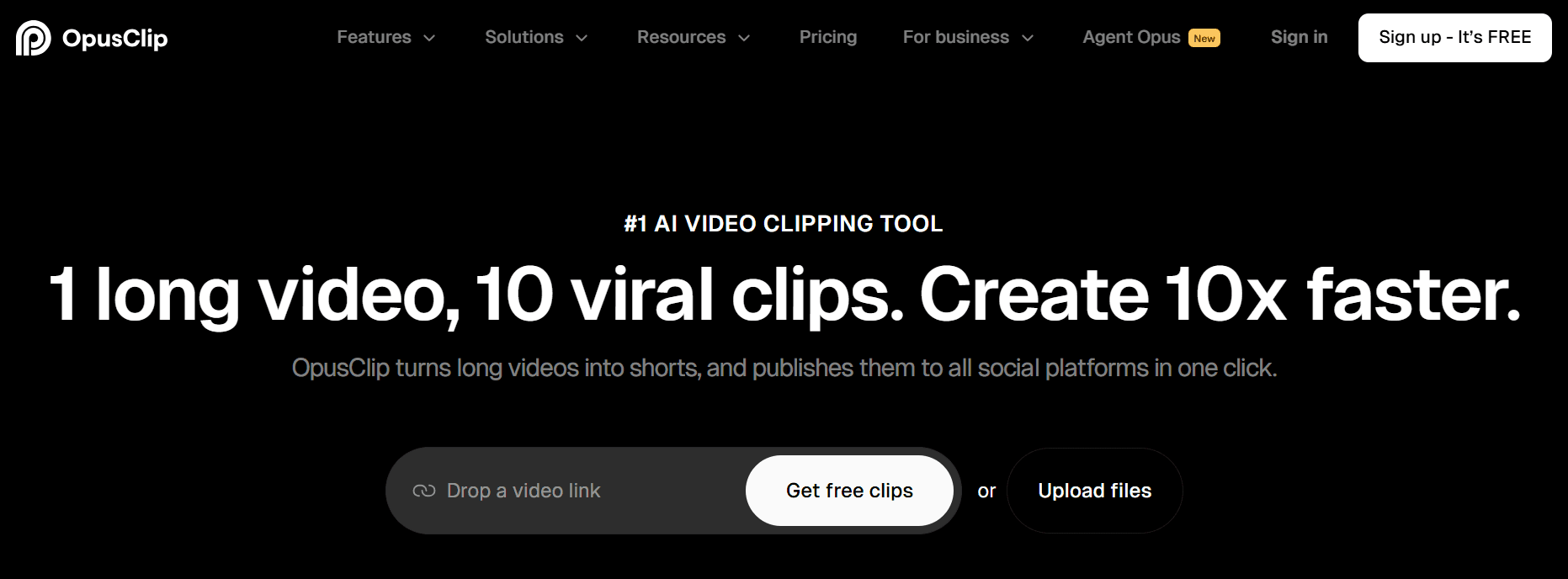
If you're sitting on long-form video content like webinars or podcasts, I see Opus Clip serving two key roles.
It's built for content teams who need to scale their short-form video strategy fast, turning one long interview into dozens of clips for TikTok, Reels, and Shorts.
But it's not just about volume. I believe its core value is combining rapid clip generation with a smart assistant that tries to predict which clips will perform best which is very helpful.
Instead of you manually scrubbing through an entire podcast, Opus Clip does the first pass for you and surfaces a bunch of options.
From there, it gives each clip an "AI Virality Score" to help you prioritize. The volume part works well.
As one Reddit user noted, it can generate around 30 clips from an episode, allowing them to find a "handful of really good ones" and saving a ton of time.
But I’d take the virality score with a grain of salt. Another user found it unreliable, saying it "had basically the same moment scored very differently across separate tests, and sometimes tiny weak clips still got pretty high scores."
Key features of Opus Clip
- AI-powered clip generation: Automatically identifies the most engaging hooks and moments in long-form videos to create short clips.
- AI virality score: Assigns a score to each clip to predict its potential to go viral, helping you decide what to focus on.
- AI B-roll: Enhances clips by automatically finding and adding relevant B-roll footage to make them more visually dynamic.
- Dynamic animated captions: Generates eye-catching captions with animated text and emojis to increase viewer retention.
- Social media scheduler: Allows you to schedule and auto-post finished clips directly to TikTok, YouTube Shorts, and Instagram Reels.
Pros of using Opus Clip
- Drastically reduces the manual time needed to find and edit clips from long videos.
- Generates a large volume of content options from a single long video file.
- Automates visually engaging elements like B-roll and animated captions.
- Streamlines posting with a built-in social media scheduler.
- The AI clip finder is effective at identifying engaging moments to repurpose.
Cons of using Opus Clip
- Some users complain that the AI Virality Score may be inconsistent or unreliable, making it hard to trust for content prioritization.
- Because you pay for the input length rather than the output quality, it can feel expensive if the AI fails to find good "hooks" in a long webinar or interview.
Opus Clip pricing:
- Free Plan: $0/month
- Creator Plan: $15/month
- Pro Plan: $29/month
9. Canva AI: Best for AI-powered visual creation in a familiar design ecosystem

If you're a content marketer, you probably already know Canva.
Its biggest advantage has always been ease of use, and now it’s embedding AI tools directly into that familiar workflow.
This makes it the go-to tool for marketers who need to generate visuals fast, without leaving the ecosystem they already know.
What I find really useful is the new integration with tools like Claude.
This lets you prompt the creation of on-brand images directly within Canva, which helps solve a huge pain point.
As one marketer put it, you can't really use standalone AI image generators for branded content because there's no consistency. Canva helps fix that.
But it's not a perfect solution. While CanvaAI is great for speed and brand consistency, some of its native AI features can feel a bit basic.
You might find the results look a little generic. A marketing team manager mentioned that “the AI features can feel very basic and the results often look like cheap stock photos.”
Key features of Canva AI
- Magic Media: A text-to-image and text-to-video feature that generates custom visuals from text prompts.
- Magic Write: An AI-powered copywriting assistant to generate text for headlines and social posts directly on the design canvas.
- Magic Switch: An AI tool that transforms a design into a different format (e.g., a presentation into a document).
- Magic Edit: Lets you add, replace, or modify elements in a photo with an AI-generated replacement.
- Claude integration: Enables you to use Claude's capabilities to prompt and create on-brand images within Canva.
- Brand Kit: Allows teams to upload and manage their own logos, fonts, and brand colors to maintain consistency.
- Magic Morph: Transforms words and shapes into a new color, texture, or prompt-driven design element.
Pros of Canva AI
- Integrates a full suite of AI visual tools directly into a familiar, easy-to-use design platform.
- Excellent for maintaining brand consistency with features like Brand Kit and on-brand image generation.
- Streamlines the entire visual creation workflow, from text generation to final design.
- Magic Switch makes it easy to repurpose a single design across multiple channels and formats.
- Simplifies complex editing tasks like removing backgrounds or swapping objects in photos.
- The familiar interface lowers the learning curve for teams already using Canva.
Cons of Canva AI
- Some users find that the AI-generated visuals can look generic or like cheap stock photos.
- The AI features may feel basic for users seeking more advanced image generation capabilities.
Canva AI pricing:
- Canva Free: $0/month
- Canva Pro: $12.99/month
- Canva for Teams: $14.99/month (pricing is for the first 5 users)
10. Writesonic: Best for optimizing content for generative AI search

Writesonic, like many AI SEO tools, has shifted its focus to Generative Engine Optimization (GEO).
This is all about getting your content featured and cited in AI-driven search answers, like Google’s AI Overviews and AI tools like ChatGPT.
It's built to help you win in this new era of search. For example, you're optimizing so that Google's AI Overview directly cites your article as the source for its answer. That’s a whole different ballgame.
But it hasn't forgotten its roots. While its main focus is now on AI visibility, it still has a powerful AI article writer for traditional SEO content. But be prepared to do many edits to make it publish-ready.
As one user said, “I think Writesonic's great for idea generation or drafts, but yeah, it's not 'publish-ready' unless you do a deep edit.”
Key features of Writesonic
- AI visibility tracking: Monitors how your brand is cited across 10 different AI platforms, including ChatGPT and Google AI Overviews.
- SEO AI agent: An automated agent that researches and writes content specifically designed to win citations in AI search results.
- GEO insights: Provides analytics on why your brand is (or isn't) appearing in AI-generated answers.
- AI article writer 6.0: Generates factual, long-form SEO articles by scraping and incorporating real-time data from Google.
- Surfer SEO integration: Combines Writesonic's AI content generation with Surfer's data analysis for on-page optimization.
- AI chat assistant (Chatsonic): A chat-based assistant powered by up-to-date Google data that can generate text and images.
Pros of using Writesonic
- Its strong focus on the future of search with unique Generative Engine Optimization (GEO) tools.
- It provides specific tools to track and improve visibility directly within AI answer engines.
- A powerful integration with Surfer SEO enhances its traditional SEO content capabilities.
- Its AI Article Writer uses real-time data to create factual, up-to-date long-form content.
- Praised by users for quickly generating high-quality, SEO-friendly articles.
- It includes versatile tools for ad copy and a chat assistant for quick research.
Cons of using Writesonic
- The generated content can sometimes sound unnatural. One user noted it had an "AI stiffness."
- The advanced focus on GEO might be too complex for users focused purely on basic, traditional SEO.
Writesonic pricing:
- Starter: $99/month
- Basic: $249/month
- Growth: $499/month
- Enterprise: Custom pricing
- 20% discount for yearly billing
Related:
- 9 Best Writesonic Alternatives for Content Writing (With Reviews)
- Writesonic Review & Pricing: Your Full Buying Guide
11. Writer: Best for enterprise teams needing brand consistency

If you work in a large organization, you know that keeping everyone on-brand is a massive challenge.
Writer is built to solve exactly that problem. I see it as the best platform for large teams that need to enforce strict brand, style, and legal guidelines across every piece of communication.
Think of it less as a content generator and more as a content governance tool.
Its powerful AI “Playbooks” are a perfect example. They let you automate complex marketing tasks, ensuring consistency every time.
The level of control is what makes it stand out for bigger companies. As a Writer user said, a key benefit is “Customizing our own terminology, common mistakes, and banned terms. Creating a style guide where we can centralize messaging, phrasing, writing style, and brand voice guidelines.”
This deep customization makes it so effective for enterprises, but from my experience, it's also why it's probably not the best fit for a solo founder.
Key features of Writer
- Playbooks: Creates pre-built, automated workflows for common marketing tasks to improve efficiency and maintain consistency.
- Team-based style guide enforcement: Lets you customize and enforce rules for terminology, banned terms, and brand voice across the team.
- Knowledge Graph: Ensures content is factually accurate and aligned with your brand's core messaging.
- Voice and tone: An AI that learns and applies your brand's voice, with a strength in inclusivity checks. As another user noted, "The most helpful aspect of Writer is the inclusivity option."
- Content repurposing: Quickly generates summaries, social posts, and other short-form content from longer pieces.
- CoWrite: An AI content generation feature for creating drafts of blogs, emails, and social media posts.
- Integrations: Connects with various enterprise systems to fit into existing company workflows.
Pros of using Writer
- Excellent for enforcing brand voice, tone, and style guidelines at an enterprise scale.
- The powerful 'Playbooks' feature automates complex, multi-step content workflows.
- Strong collaboration tools are designed specifically for large content teams.
- A market leader in providing AI-powered inclusivity and compliance checks.
- The customizable Knowledge Graph helps ensure all content is factually accurate and on-message.
- Deep integration capabilities allow it to work within established enterprise tech stacks.
Cons of using Writer
- Overkill and not cost-effective for solo marketers or very small teams.
- Enterprise-focused pricing isn't transparent and requires a sales call.
Writer pricing:
- Enterprise: You must contact sales for custom pricing.
Frequently asked questions about AI tools for content marketing
Should I choose a specialized AI tool or a generalist one?
From my experience, it really comes down to your main goal. If you just need to produce a lot of different content quickly, a generalist, all-in-one platform can be a decent start.
But if you’re focused on quality, I strongly recommend a specialized tool.
These tools are built to do one job really well, whether that’s SEO, anti-slop content, video repurposing, or extracting expert insights. You’ll get a much higher-quality result.
How can I use AI without my content sounding like generic "AI slop"?
This is probably the most important question to ask right now. The best way to avoid creating generic "AI slop" is to use AI to amplify human thinking, not replace it.
Your unique experience, expertise, and points of view are things an AI can't just make up. That's your competitive advantage.
Are AI tools going to replace content marketers?
This is a big question, and my short answer is no. I believe the focus should be on using AI to assist and amplify human thinking, not replace it.
To me, you shouldn't confuse AI with true thinking, but instead, use it as a powerful tool to scale your own expertise.
What is AEO and GEO and why does it matter?
If you've built your content strategy on SEO, you'll want to pay attention to this. AEO (Answer Engine Optimization) and GEO (Generative Engine Optimization) are all about getting your brand cited directly in AI-driven answers.
Think about Google’s AI Overviews or the summaries you get from Perplexity.
The goal is no longer just to rank in a list of blue links; it’s about becoming the source for the answer itself.
This matters because it's about future-proofing your content. When an AI engine trusts your content enough to feature it, that’s a massive authority signal. I’ve seen this trend accelerate, with tools like Surfer and Writesonic building features to track and improve visibility in these new answer engines and tools like Leaps to create content that helps you show up without slop.
Choosing the right AI co-pilot for your content workflow
Here’s the most important thing to take away from this: AI shouldn't replace human thinking. To protect your brand from penalties from search engine algorithms, you need content with real information gain, experience, and unique POVs, not just generic fluff.
So my final recommendation is to prioritize tools that help with that. Don't get caught up in the promise of speed and volume alone.
Related:
Rennie Ijidola
Hi! I'm Rennie, Co-founder @ Leaps, the anti-AI slop expert-led AI content creation platform that helps you create expert-led content with AI that amplifies your thinking, not replaces it. It helps you capture insights from you or your experts, gather accurate research, and turn it all into high-quality content for SEO, GEO, personal branding, and exec thought leadership — without sacrificing quality.
Before building Leaps, I spent years as a freelance editor working with content writers before joining my co-founder, Victor to run our content agency for B2B and SaaS brands, from startups to enterprise companies.